The Business Case for Sustainable IT (& How to Get It Right)

colleague pointing at a laptop whilst the other colleague takes notes

The Business Case for Sustainable IT (& How to Get It Right)

Sustainable IT refers to the practices and technologies that reduce the environmental impact of your organisation’s digital infrastructure.

Chart showing the process of recycling a device, participating in sustainable IT

Why Sustainable IT Matters

From carbon offsetting to circular IT and greener office habits, businesses are increasingly expected to adopt eco-conscious strategies that align with government targets and customer expectations.

The production, use, and disposal of IT equipment contribute significantly to global carbon emissions. For example, manufacturing a single laptop can generate between 300–500kg of CO₂.

With computing now essential to nearly every business function, the environmental footprint of IT is a growing concern.

Sustainable IT helps businesses:

  • Reduce emissions and energy consumption
  • Extend the lifecycle of devices
  • Minimise e-waste
  • Meet compliance and CSR goals
  • Appeal to environmentally conscious customers

Learn more: What Is Your Business Doing To Reduce Emissions?

Carbon Offsetting for IT Equipment

Carbon offsetting allows businesses to counterbalance the emissions produced by their operations by investing in environmental initiatives.

These might include:

  • Wind farming
  • Reforestation
  • Clean water projects
  • Waste-to-energy conversion

HardSoft offers a simple carbon offsetting solution for leased and owned IT devices. For just an additional 3% on your lease, your hardware can be automatically offset. This includes certification and carbon credits to verify your contribution.

Learn more: 5 Top Tips for Creating a More Sustainable Office

Wind turbine energy generators
Paper being recycled in a recycling bin

Practical Tips for a Greener Office

Creating a sustainable office doesn’t have to be complex.

Here are five effective strategies:

  1. Carbon Offsetting: Invest in offsetting schemes for your IT hardware.
  2. Recycling: Implement responsible recycling for paper, packaging, and electronics.
  3. Energy Efficiency: Use energy-saving settings and devices with lower power consumption.
  4. Paperless Practices: Shift to digital documentation and cloud collaboration tools.
  5. Eco-Friendly Suppliers: Partner with vendors who prioritise sustainability in their products and services.

These changes can reduce your environmental impact without disrupting productivity.

Circular IT and Device Lifecycle Management

Circular IT is a model that focuses on extending the life of devices through reuse, refurbishment, and recycling.

It aims to reduce waste and emissions by keeping hardware in circulation longer and avoiding premature disposal.

HardSoft’s Boomerang service supports circular IT by:

  • Reclaiming devices from
    ex-employees
  • Refurbishing and redeploying hardware
  • Offering flexible leasing and
    upgrade options
Chart describing the IT and device lifecycle

Final Thoughts

Sustainable IT is no longer a niche concern — it’s a business imperative. From reducing emissions to embracing circular practices, companies can make meaningful changes that benefit both the planet and their bottom line. With services like carbon offsetting and Boomerang, HardSoft makes it easier for organisations to adopt greener IT strategies without added complexity.

How IT Leasing Works: Costs, Benefits & Use Cases

samsung galaxy book 4 family

How IT Leasing Works: Costs, Benefits & Use Cases

Computer leasing offers businesses a flexible, cost-effective way to access the latest technology without the upfront expense of purchasing hardware outright.

PC business leasing products

What Is Computer Leasing?

Computer leasing is a financial arrangement where businesses rent IT equipment — such as laptops, desktops, servers, and accessories — for a fixed period. Instead of buying devices outright, companies pay a regular fee (weekly or monthly) and benefit from:

  • Access to the latest hardware
  • Built-in support and warranty
  • Optional upgrades or ownership at the end of the term
  • Predictable budgeting and tax efficiencies

Learn more about the Benefits of Computer Leasing for Your Business

Key Benefits of Leasing

  • Cash Flow Friendly: Avoid large capital outlays and spread costs over time.
  • Tax Efficient: Lease payments may be deductible as operating expenses.
  • Scalable: Easily add or swap devices as your team grows or needs change.
  • Support Included: Many leasing plans include technical support and warranty.
  • Flexible End-of-Term Options: Choose to return, upgrade, or purchase devices.
free 1-1 session with solutions team
Fake or fiction facts about leasing

Myth-Busting Computer Leasing

Some businesses hesitate to lease due to misconceptions. Here are a few myths debunked:

  • “Leasing is too time-consuming”: Most providers offer streamlined onboarding and device setup.
  • “I’ll be stuck with outdated hardware”: Leasing plans often include upgrade options or refresh cycles.
  • “Leasing is more expensive than buying”: When factoring in support, warranty, and flexibility, leasing can be more cost-effective.

Tailoring Your Leasing Solution

HardSoft offers customisable leasing plans to suit different business models:

  • Choose device types (Mac, PC, tablets, smartphones)
  • Select support levels and insurance options
  • Add services like pre-deployment, MDM, or lifecycle management
  • Opt for Device-as-a-Service (DaaS) bundles for simplified IT provisioning
one payment per month
Image of Phandy with Boomerang in the background

Reusing and Refreshing Devices

Leasing also supports sustainability and IT lifecycle management. With services like HardSoft’s Boomerang, businesses can:

  • Reclaim and repurpose devices from ex-staff
  • Reduce e-waste and improve ROI
  • Maintain device hygiene and security

Avoiding Pitfalls and Hidden Fees

When choosing a leasing provider, it’s important to understand the terms:

  • Annual Service Fees: Some providers charge for account maintenance — HardSoft does not.
  • Admin Fees: These can vary; always ask if they’re negotiable or waived.
  • Insurance Requirements: Ensure devices are covered for damage, loss, or theft.

Learn more about The Pitfalls and Hidden Costs of Leasing

no hidden fees with phones for teams

Final Thoughts

Computer leasing is a smart, scalable solution for modern businesses. It offers financial flexibility, access to cutting-edge tech, and built-in support — all while reducing risk and improving operational efficiency. Whether you’re looking to equip a remote team, refresh your IT infrastructure, or manage device lifecycles, leasing can be tailored to meet your needs.

AI Supercomputer Laptops

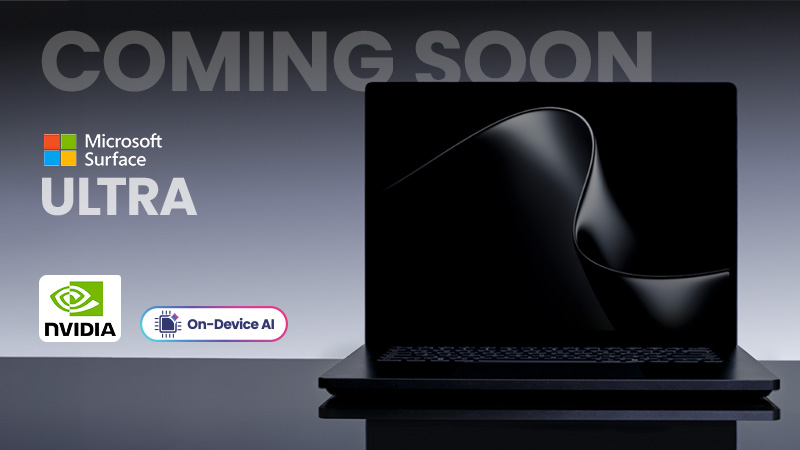
Surface Laptop Ultra RTX

Powerful AI laptops. Built for serious workloads.

Discover AI supercomputer laptops from Microsoft Surface, Apple, ASUS, MSI, Dell, Lenovo and HP. Featuring NVIDIA RTX Spark and up to 128GB unified memory, they’re built for on-device AI, machine learning and demanding professional workloads, with flexible monthly leasing and no large upfront cost.

  • Run AI locally with faster performance and lower costs.
  • A new beginning of RTX Spark Laptops

Compare AI Supercomputer Laptops

Device Operating System AI Processor CPU / GPU Unified Memory Price Lowest to Highest
Surface Laptop Ultra
Windows 11 Pro NVIDIA RTX Spark N1X CPU: Up to 20-Core
GPU: Up to 6144-Core
Up to 128GB £21.53 See Product
ASUS ProArt P14
ASUS ProArt P14
Windows 11 Pro NVIDIA RTX Spark N1X CPU: 18-Core
GPU: 5120-Core
Up to 128GB £23.62 See Product
HP OmniBook Ultra
HP OmniBook Ultra
Windows 11 Pro NVIDIA RTX Spark N1X CPU: 20-Core
GPU: 6144-Core
Up to 128GB £26.01 See Product
MSI Prestige N16 Flip
Windows 11 Pro NVIDIA RTX Spark N1X CPU: 20-Core
GPU: 6144-Core
Up to 128GB £26.89 See Product
ASUS ProArt P16
ASUS ProArt P16
Windows 11 Pro NVIDIA RTX Spark N1X CPU: 20-Core
GPU: 6144-Core
Up to 128GB £28.54 See Product
Lenovo Yoga 9n 2-in-1
Windows 11 Pro NVIDIA RTX Spark N1X CPU: Up to 20-Core
GPU: Up to 6144-Core
Up to 64GB £29.62 See Product
Dell XPS 16 Creator Edition
Windows 11 Pro NVIDIA RTX Spark N1X CPU: Up to 20-Core
GPU: Up to 6144-Core
Up to 128GB £30.85 See Product
Apple MacBook Pro M5 Max
macOS Apple M5 Max CPU: 18-Core
GPU: 40-Core
Up to 128GB £43.90 See Product

*All prices shown are Pure prices per week, listed from lowest to highest.

no middleman

A Single Source. No Middle Man.

cancel early

Cancellation Option. Peace of Mind.

arrows showing flexibility

As Flexible as you need. Solutions to Suit.

support plans

Support Plans. Warranty, Support & Loan Device.

rewards programme

Loyalty Rewards Programme.

IT Leasing Reinvented

Choose your Solution. Bespoke IT leasing with inclusive Support Plans
Flexi
  • Switch IT – change to alternative devices at 12 months
  • End IT – cancel after 12 months
  • Own IT – at the end for £1
  • Lifetime Support
  • Earn Rewards Points
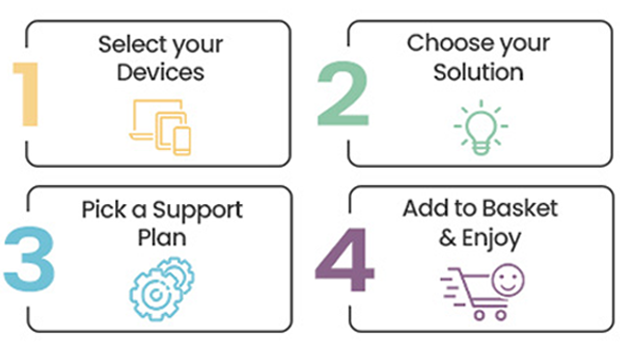
4 Easy Steps
Pure
  • Switch IT – change to alternative devices at 24 months
  • End IT – cancel after 24 months
  • Return IT – refresh at expiry
  • Lifetime Support
  • Earn Rewards Points

AI Supercomputer Laptops: Your Questions Answered

What is an AI supercomputer laptop?

It’s a portable computer built to run AI models and agents on the device rather than relying on the cloud. Keeping that work local helps sensitive data stay on your own hardware. These laptops suit software developers, content creators and teams who regularly use local AI.

What is NVIDIA RTX Spark?

RTX Spark is NVIDIA’s platform for Windows PCs, combining an Arm-based NVIDIA Grace CPU, a Blackwell RTX GPU and unified memory on one superchip. Laptops use the N1X chip in two versions: an 18-core CPU with a 5,120-core GPU, or a 20-core CPU with a 6,144-core GPU. It supports NVIDIA’s CUDA software, which is widely used for AI development.

Should I choose an AI laptop or a desktop AI supercomputer?

Choose a laptop if you need to work on the move and want one machine for AI and everyday business tasks. Choose a desktop if AI development is the main job and you want a dedicated system running NVIDIA DGX OS, with all models rated for up to 200B parameters.

Can I lease an AI supercomputer laptop through HardSoft?

Yes. HardSoft’s Flexi lease lets you switch devices or end the lease after 24 months, or buy the device for £1 at the end. Our Pure lease is our most affordable option, letting you switch devices or end the lease after 24 months, or return the device at expiry for a refresh. Both include lifetime support and rewards points. Leases are available to business users only and are subject to status.

Will my Windows software run on an ARM-based NVIDIA laptop?

In most cases, yes. RTX Spark laptops run Windows 11 on Arm, and many everyday apps now have native Arm versions. Software built for traditional Intel and AMD processors can usually run through Microsoft’s built-in Prism emulation, which needs no setup from you. Reviewers found emulated apps ran smoothly on RTX Spark, although some software runs more slowly or may not work properly. The main areas to check are specialist business applications, older utilities, plug-ins and anything that relies on hardware drivers, such as printers, scanners and VPN or security tools. If your team depends on a particular application or device, confirm it’s compatible before you lease.

MacBook Neo

MacBook neo pink Touch ID

MacBook Neo Designed
for Modern Teams.

MacBook Neo family

How would you like to get yours?

all day battery icon

All-day battery
M-series efficiency outlasts a full working day on the Tube and back.

security icon

Built-in-security
Hardware-level protection without extra endpoint software.

stable pricing icon

Stable pricing
Apple has held pricing for 12 months while Windows devices have risen.

How would you like to get yours?

MOST POPULAR

Lease monthly

Spread the cost, upgrade every refresh cycle,
keep cash flow free.

See leasing plans

Devices as a Service

Fully managed fleets for larger teams via D4T.

See DaaS plans

IT Leasing Reinvented – Bespoke IT leasing with inclusive Support

No change needed here — pricing rows already separate the single-unit SKUs from the 5-unit bundle correctly.
Shop All MacBook Neo
no middleman

A Single Source. No Middle Man.

cancellation options

Cancellation Option. Peace of Mind.

arrows showing flexibility

As Flexible as you need. Solutions to Suit.

support plans

Support Plans. Warranty, Support & Loan Device.

rewards programme

Loyalty Rewards Programme.

IT Leasing Reinvented

Choose your Solution. Bespoke IT leasing with inclusive Support Plans
Flexi
  • Switch IT – change to alternative devices at 12 months
  • End IT – cancel after 12 months
  • Own IT – at the end for £1
  • Lifetime Support
  • Earn Rewards Points
4 Easy Steps
Pure
  • Switch IT – change to alternative devices at 24 months
  • End IT – cancel after 24 months
  • Return IT – refresh at expiry
  • Lifetime Support
  • Earn Rewards Points

See what our Customers say about us…

Working with Partners

Common questions about MacBook Neo

How long is a MacBook Neo leasing contract?

MacBook Neo is available on a flexible leasing agreement designed to keep your team productive without large upfront costs. You’ll benefit from predictable monthly payments and the option to refresh devices as your business needs evolve.

What happens at the end of the lease term?

At the end of your lease, simply return your MacBook Neo devices and choose your next step. Thanks to Apple’s strong residual values, many customers refresh to the latest technology, helping keep teams productive and up to date without the hassle of managing ageing hardware.

Is leasing cheaper than buying outright?

For many businesses, leasing can be a more cost-effective option than purchasing outright, particularly when considering the total cost of ownership. MacBook Neo benefits from strong residual values, allowing for lower monthly costs and making Apple devices more affordable than many organisations expect.

Do you run a credit check?

All leasing applications are subject to approval. Our team will make the process as simple and straightforward as possible.

On Device AI

Ai Supercomputers Logos

Run AI On-Device.
No Cloud, No Compromise.

AI logos for ondevice and cloud systems

The Business Case

XX%

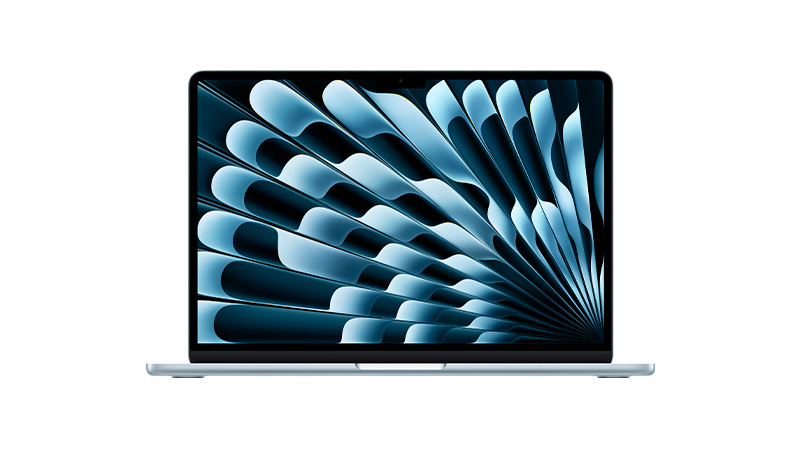
of enterprise AI models run locally on a MacBook Air

XX%

of IT decision makers are concerned about data leakage

XX%

reduction in total cost of ownership vs cloud-based PCs

Choose your device

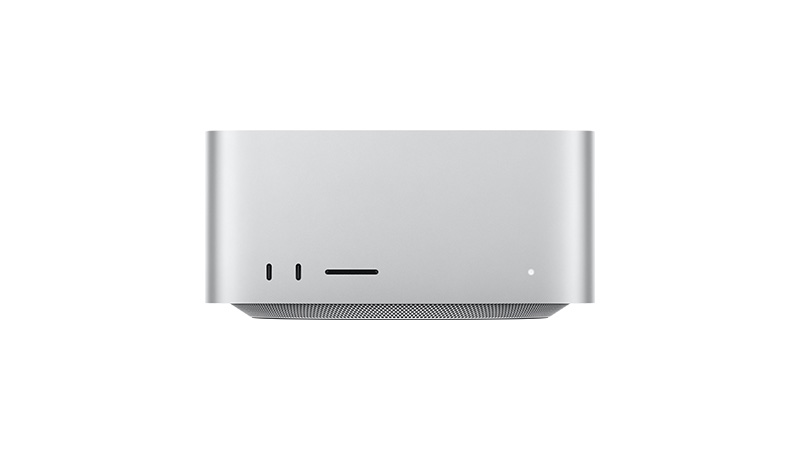
Mac studio front
Mac studio front

“The right model, in the right place, for the right job”

What is an AI PC?

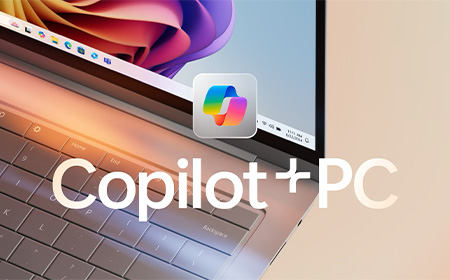
copilot PC samsung galaxy book

Copilot PC vs AI PC:
What’s the Difference

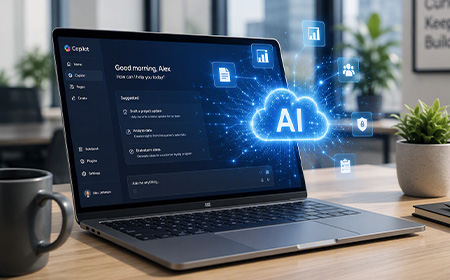
AI Cloud on laptop, in an open office

AI PC Benefits:
Costs & The Best Devices

What is an AI PC?

copilot PC samsung galaxy book

Copilot PC vs AI PC:
What’s the Difference


AI Cloud on laptop, in an open office

AI PC Benefits:
Costs & The Best Devices

Frequently Asked Questions

Is on-device AI actually more secure than cloud AI?

When using AI locally, all data stays on your laptop and never leaves it. Unlike cloud-based AI, where your data leaves your device and can be stored, used to train future models, or exposed to threats beyond your control, local AI keeps everything private and on-device.

Which model size runs on a MacBook Air vs Mac Studio?

Match your hardware to your model size: a MacBook Air (8–24GB memory) comfortably runs smaller 7B–13B models, great for everyday assistants and chat. A Mac Studio (up to 192GB+ memory) can handle 70B+ parameter models, ideal for serious local AI workloads; all without sending data to the cloud.

Do I need to lease the hardware to get on-device AI?

You always have the option to buy the device outright, but as laptops are increasingly designed with AI capabilities and other premium features, price tags are climbing. Leasing can ease that burden by spreading the cost into manageable monthly payments. With HardSoft, you can also scale up as your business grows and want to adopt more AI-powered devices as they become useful down the line.

MacBook Leasing for London Businesses

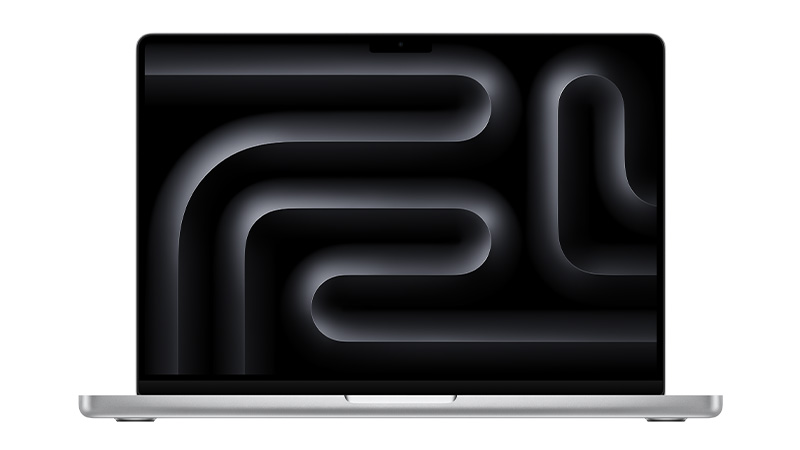
MacBook Pro 16" silver

MacBook Leasing for London Businesses

no middleman

A Single Source. No Middle Man.

cancel early
Cancellation Option.
Peace of Mind.
arrows showing flexibility

As Flexible as you need.
Solutions to Suit.

support plans

Support Plans. Warranty,
Support & Loan Device.

rewards programme

Loyalty Rewards Programme.

MacBook Air 15" sky blue
MacBook Air
MacBook Pro 16" silver
MacBook Pro
MacBook NEO silver
MacBook Neo

Built for the Commute

London Business Device Report

Sized for Your Team

Browse Our Buying Guides

Leasing Guides

Commuter & SME Reads

Business & Team Guides

Apple Silicon

Browse Our Buying Guides

Leasing Guides

Commuter & SME Reads

Business & Team Guides

Apple Silicon

Trusted by London Businesses

Frequently Asked Questions

What is Device as a Service (DaaS)?

Device as a Service (DaaS) is a flexible subscription model that bundles hardware, software, and support into a single monthly payment. Rather than purchasing devices outright, businesses can equip their teams with the latest tech—fully configured, managed, and supported—without the upfront capital expense.

How does DaaS differ from leasing or BYOD?

Unlike traditional leasing, DaaS includes full lifecycle services—deployment, support, and refresh. Compared to Bring Your Own Device (BYOD), DaaS ensures consistency, security, and compliance across your fleet, while giving employees the tools they need to perform at their best.

Are there any hidden costs?

There are NO admin fees! Once set up, adding or taking away devices also will not incur any additional fees beyond your monthly cost.

How do we pay?

We invoice every quarter and our payment dates are 1st of January, April, July, October etc… We accept payment via various means, though our preferred method is direct debit, as this means we can amend payments easily in line with any additional devices added or returned.

Is there a minimum number of devices per D4T contract?

Yes, your first order needs to be for 20 devices – though this can be a mix of Windows, Apple, Samsung, etc.

Not All Monitors Are Equal: How to Choose the Right One for Work

lifestyle of people working on monitors
working on a monitor

Quick Summary

If you’re rolling out monitors across your business, the right choice rarely comes down to the spec sheet. It comes down to how each person actually works.

Some people need more space. Some need colour accuracy. Some are in back-to-back calls. And plenty just need something reliable that sets up in one cable.

This guide breaks that down properly. We’ll match real-world roles to the right type of monitor — and point you to the specific models from the HardSoft monitor range that fit each one.

We’ve been kitting out UK businesses for 40 years, so these aren’t generic picks — they’re the displays we actually put on people’s desks.

The Problem Most Businesses Run Into

Most businesses pour time into choosing laptops and desktops, then treat the monitor as an afterthought.

Which is odd, because the monitor is the thing your team stares at all day.

Get it wrong and you’ll feel it:

  • Too little screen space means constant alt-tabbing between windows
  • Poor clarity means eye strain and slower work
  • The wrong setup means messy desks, extra dongles and accessories nobody asked for

Get it right and everything just flows — cleaner workflows, less friction, better output. The trick is to stop comparing specs first and start with a simpler question:

What does this person actually do all day?

That answer will lead you to the right monitor faster than any spec comparison. Here’s how it breaks down by role.

monitors for businesses with problems

For creative & colour-critical work

If your team works with visuals — photography, design, retouching, anything heading to print — colour accuracy is a must. A colour that looks right on screen but prints wrong costs time and money.

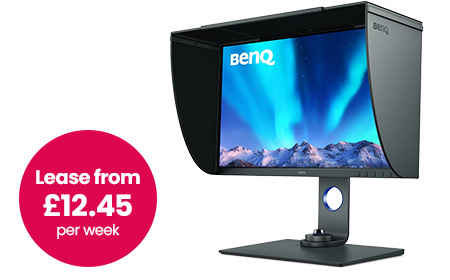
BenQ 27″ 4K Photographer Monitor — SW272U

This is the one built specifically for that job. It’s a 27″ IPS 4K display (3840 × 2160) with factory calibration, so it’s accurate out of the box — no second-guessing on day one. 

Plus you get: 

  • USB-C with 90W power delivery — charges a laptop and carries video over a single cable
  • Built-in SD card reader for photography workflows
  • Included shading hood to cut glare on colour-critical tasks

Your team will spend less time fighting colours, get consistent results across devices, and work with confidence. 

LG 32″ 6K Thunderbolt Monitor

When a single creative display isn’t enough — think design-heavy teams, video editors, or anyone working across large, detailed canvases — this is the step up. 

It’s a 32″ 6K Nano IPS Black panel with HDR and genuinely deep blacks, driven by a single Thunderbolt 5 cable.

Best for: studios and design-led teams who want one display to do everything. 

For Mac Users & Premium Desk Setups

Some teams — leadership, client-facing roles, design-led businesses — want a clean, high-end setup where the screen looks as premium as the work on it. With Mac users especially, the right display also just feels like part of the machine.

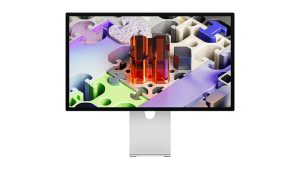
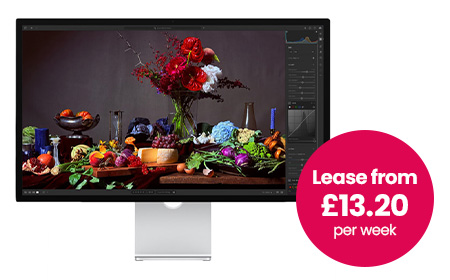
Apple Studio Display

This is the natural pairing for any Mac-based team: 

  • 27″ 5K Retina display with True Tone
  • Wide P3 colour for design, photo and video work
  • 12MP centre-stage camera plus studio-quality speakers and mics built in
  • Seamless macOS integration over Thunderbolt / USB-C

Best for: Mac-first teams, leadership and client-facing roles who want an aesthetic, minimal desk.

For Touch-First & Interactive Work

If your team sketches, annotates, presents or works hands-on with their designs, a touchscreen display changes how they work. These are a HardSoft favourite for design studios and creative agencies.

Alogic Clarity 5K Touchscreen Monitor

A 27″ 5K display you can actually touch and draw on — factory-calibrated colour with stylus support, so it’s equal parts colour-accurate monitor and digital canvas.

  • 27″ 5K with accurate, high-resolution detail
  • Full touchscreen with stylus support for sketching and mark-up
  • Single-cable USB-C setup, plus HDMI and DisplayPort

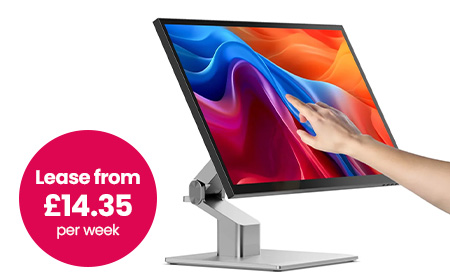
Alogic Clarity 5K Fold Touch 27″ Monitor

The same 5K touchscreen, but on a fold-flat hinge. Lay it nearly horizontal to draw, annotate or sign like a drafting table, then stand it back up as a standard display. It’s the most flexible screen in the range for hybrid creative and presenting setups.

  • 27″ 5K fold-flat touchscreen with stylus support
  • Drops flat for drawing and mark-up, back up for everyday work
  • USB-C with 65W charging, plus HDMI, DisplayPort, USB-A and USB-B
  • One-cable setup for a clean desk

For Multitaskers & Data-Heavy Roles

If someone lives in spreadsheets, dashboards, project tools and a dozen browser tabs, they don’t need ultra-wide colour accuracy. They need space.

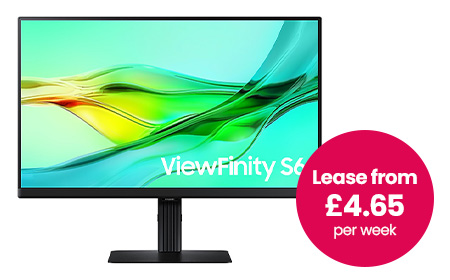
Samsung 34″ ViewFinity S6 Monitor

A curved ultrawide that often replaces a dual-monitor setup entirely and tidies up the cabling while it’s at it.

  • 34″ curved Ultra-WQHD (21:9) — see everything at once, fewer overlapping windows
  • USB-C, HDMI, DisplayPort and LAN, plus a built-in webcam and speakers
  • KVM switch to control two machines from one keyboard and mouse
  • Often does the job of two screens, with half the clutter

Best for: finance, operations, project management — anyone who lives in data and systems. 

For Hybrid Workers & Call-Heavy Roles

If your team is in meetings all day, the screen alone isn’t the point — they also need a decent camera, a clear mic and speakers that don’t need an apology at the start of every call. Plus, bolting on separate accessories means more clutter and more to go wrong.

Dell Pro Conferencing Monitor

This rolls the whole video-call kit into the display itself.

  • QHD display with a built-in webcam, mic and speakers
  • Microsoft Teams / Zoom ready with dedicated controls
  • USB-C single-cable setup that also charges the laptop, plus HDMI, DisplayPort and Ethernet
  • Doubles as a USB hub — no extra dock needed for most desks

Best for: sales, account management, recruitment and customer-facing teams. Faster to deploy, cleaner desks, and one less thing to support. 

For General Office Users & Tighter Budgets

Not every role needs something specialised. Plenty of people just need a reliable, sharp screen and a clean one-cable setup. And you want something you can standardise across the whole business without thinking too hard about it.

This is where a solid Samsung 24″–27″ USB-C monitor earns its place:

  • Full HD or QHD resolution — plenty for everyday work
  • USB-C connectivity with a built-in hub to cut desk clutter
  • Adjustable stands and easy hot-desking
  • Cost-effective and simple to roll out at scale

USB-C is the hero here: one cable connects, powers and moves data, which keeps desks tidy and makes hot-desking painless.

Best for: standard office rollouts and anyone watching the budget without wanting to feel it.

samsung 24″–27″ USB-C monitor lifestyle
Apple studio lifestyle

The Specs Worth Checking

When you do compare models, focus on what affects the day-to-day:

Resolution

  • Full HD → fine for basic admin and office work
  • QHD → sharper text, more usable space
  • 4K and above → needed for creative detail and large screens

Screen size

  • 24″ → compact and standard
  • 27″ → the best all-rounder for most desks
  • 32″+ and ultrawide → multitasking and immersion

Connectivity — look for USB-C (single-cable setup), Thunderbolt for the highest-end displays, plus HDMI/DisplayPort and a built-in hub. 

Ergonomics — easy to overlook, but height adjustment, tilt/swivel and eye-comfort features make a real difference over a full working day.

How This Fits into Leasing (& Why It Matters)

Hardly anyone buys monitors in isolation. You’re usually thinking about the whole setup — laptops, desktops, docks, accessories — across a team.

That’s exactly where leasing through HardSoft beats buying outright:

Not sure which way to go for a particular team? That’s what we’re here for — talk to us.

one payment per month

Compare the Best Monitors 

Role / use caseRecommended monitorSize & resolutionStandout featuresFrom (per week)
Photography, design & printBenQ 27″ 4K Photographer SW272U27″ 4K IPSFactory calibration, USB-C 90W, SD reader, shading hood£12.45
Design-heavy & video teamsLG 32″ 6K Thunderbolt32″ 6KNano IPS Black, HDR, Thunderbolt 5 single cable£15.95
Mac users & premium desksApple Studio Display27″ 5KTrue Tone, 12MP camera, studio speakers, macOS-native£13.20
Touch & annotation workAlogic Clarity 5K Touchscreen27″ 5KTouchscreen + stylus, calibrated colour, 1-cable£13.20
Flexible touch & presentingAlogic Clarity 5K Fold Touch27″ 5KFold-flat touchscreen, stylus, USB-C 65W£14.35
Multitasking & data rolesSamsung 34″ ViewFinity S634″ Ultra-WQHDCurved ultrawide, KVM, built-in webcam£4.65
Hybrid & call-heavy rolesDell Pro Conferencing MonitorQHDBuilt-in webcam/mic/speakers, Teams/Zoom ready£2.80
General office & budgetSamsung 24″–27″ USB-C24″–27″ FHD/QHDUSB-C hub, adjustable stand, easy to standardiseBudget pick

iPad

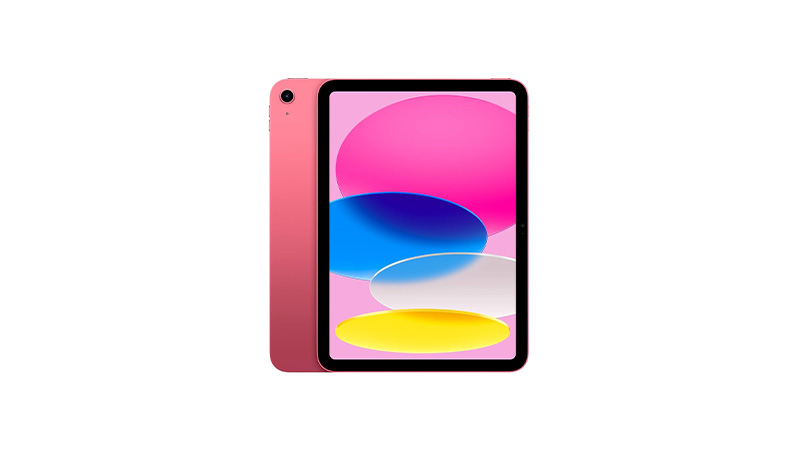
iPad 11 inch pink

Apple iPad Leasing for Flexible Business Work

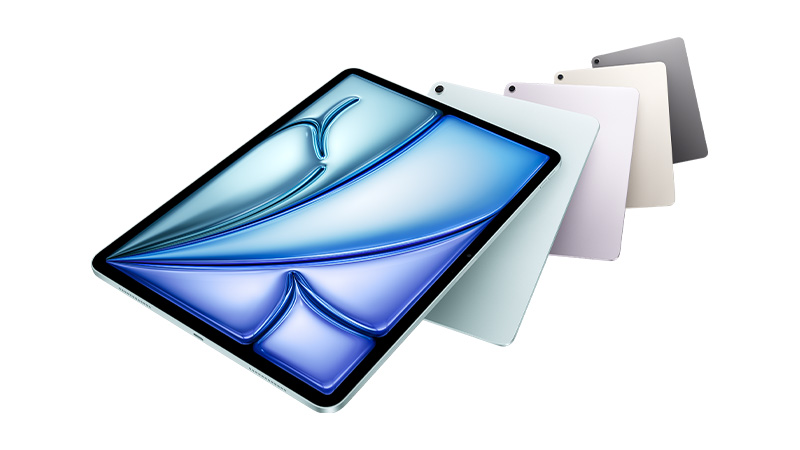
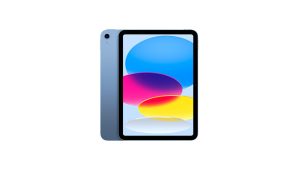
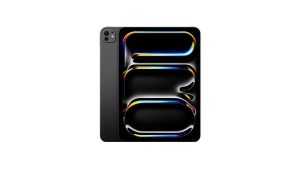
Apple iPad leasing gives your business a flexible, cost-effective way to equip teams with powerful tablets without upfront costs. From iPad and iPad mini to iPad Air and iPad Pro, each model offers reliable performance, high-quality Retina displays, and strong battery life for day-to-day productivity.

  • Support everyday business tasks with a lightweight, versatile touchscreen device
  • iPad Air family
  • iPad 11 inch pink
one source 1 icon

A Single Source. No Middle Man.

cancel early

Cancellation Option. Peace of Mind.

arrows showing flexibility

As Flexible as you need. Solutions to Suit.

support plans

Support Plans. Warranty, Support & Loan Device.

rewards programme

Loyalty Rewards Programme.

IT Leasing Reinvented

Choose your Solution. Bespoke IT leasing with inclusive Support Plans
Flexi
  • Switch IT – change to alternative devices at 12 months
  • End IT – cancel after 12 months
  • Own IT – at the end for £1
  • Lifetime Support
  • Earn Rewards Points
4 Easy Steps
Pure
  • Switch IT – change to alternative devices at 24 months
  • End IT – cancel after 24 months
  • Return IT – refresh at expiry
  • Lifetime Support
  • Earn Rewards Points

See what our Customers say about us…

Apple iPad FAQs

What's the difference between an Apple iPad Air and iPad Pro?

The iPad Pro offers a faster chip, a higher-quality display (including mini-LED or OLED on larger models), and better support for demanding creative work, while the iPad Air offers similar core functionality at a lower price with slightly less performance headroom. Most general business users are well served by the Air, while creative professionals benefit from the Pro.

Can an Apple iPad replace a laptop?

For many light-to-medium tasks – email, note-taking, presentations and web-based work – an iPad paired with a keyboard case can replace a laptop. Users needing full desktop software or complex multitasking will still find a MacBook or Windows laptop more capable.

What are the benefits of an iPad alongside a laptop?

An iPad adds portability for meetings, note-taking and presentations, along with Apple Pencil support for sketching and annotating documents on the go. It also extends a Mac’s capabilities through features like Sidecar, turning the iPad into a second screen.

What iPad is best for business use?

The best choice depends on your needs: the iPad Air offers a great balance of performance and affordability for hybrid and mobile teams, while the iPad Pro suits users needing laptop-level power for demanding tasks. Read our full guide on choosing the right iPad for business to find the best fit for your team.

Which accessories are recommended for an Apple iPad?

For business use, we recommend pairing your iPad with an Apple Pencil for notetaking and annotation, plus a Magic Keyboard or Smart Keyboard Folio to turn it into a lightweight workstation. Browse our full range of Apple accessories to kit out your devices.

Google Pixel Buds

google pixel buds a series charcoal

Google Pixel Buds Leasing for Clear Business Audio

Equip your team with Google Pixel Buds leasing to keep costs predictable while delivering clear, reliable audio across calls and meetings. Designed for business use, Pixel Buds feature active noise cancellation, Bluetooth multipoint connectivity, and up to 30+ hours of total battery life with the charging case.

  • All-day battery with smooth 120Hz display
  • google pixel buds pro
  • google pixel buds a series charcoal
one source 1 icon

A Single Source. No Middle Man.

cancel early

Cancellation Option. Peace of Mind.

arrows showing flexibility

As Flexible as you need. Solutions to Suit.

support plans

Support Plans. Warranty, Support & Loan Device.

rewards programme

Loyalty Rewards Programme.

IT Leasing Reinvented

Choose your Solution. Bespoke IT leasing with inclusive Support Plans
Flexi
  • Switch IT – change to alternative devices at 12 months
  • End IT – cancel after 12 months
  • Own IT – at the end for £1
  • Lifetime Support
  • Earn Rewards Points
4 Easy Steps
Pure
  • Switch IT – change to alternative devices at 24 months
  • End IT – cancel after 24 months
  • Return IT – refresh at expiry
  • Lifetime Support
  • Earn Rewards Points

See what our Customers say about us…

Custom PC

Build Your Custom PC

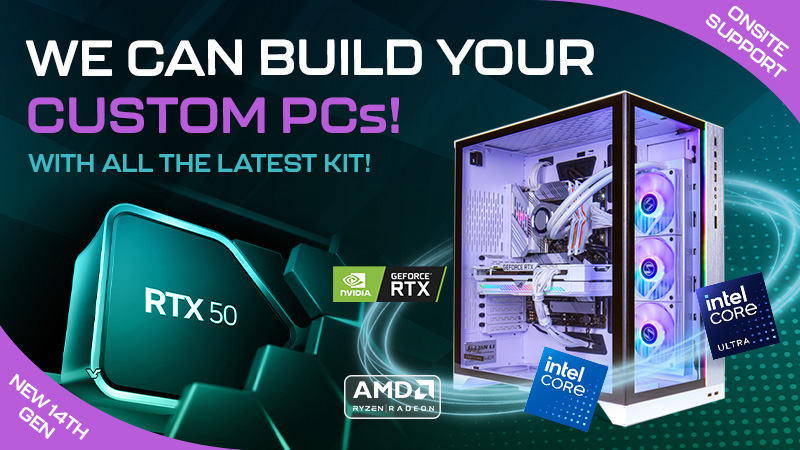
Lease a PC built to your exact spec — tell us what you need and we’ll handle the rest. From entry‑level setups to high‑performance Intel or AMD workstations, we build and configure everything, including case, cooling, storage and RGB. We can also source specific pre‑built systems if you already have one in mind.

  • Fast delivery & setup
  • Custom PCs

    Tell us what custom PC you need and receive your quote.

    Support Tell Us What You Need

    Tell us What you Need. We can Build it!

    With nearly 40 years of experience, we guarantee premium custom PC builds. Just send us your specs and we’ll create a tailored quote using the best hardware suppliers in the UK.

    On-Site Installation & 3-Year Warranty

    On-Site Installation & 3-Year Warranty

    Leasing this Custom PC includes HardSoft’s Three‑Year No‑Quibble Warranty with on‑site repairs, plus free installation and setup across all London boroughs and the Home Counties. 

    Silver Support Plan

    Comes with Our Silver 360º Support Plan

    Your new device will include our Silver Support Plan, with fast response times, loan devices during repairs, a three‑year hardware warranty, unlimited online tech support and more.

    no middleman

    A Single Source. No Middle Man.

    cancel early

    Cancellation Option. Peace of Mind.

    arrows showing flexibility

    As Flexible as you need. Solutions to Suit.

    support plans

    Support Plans. Warranty, Support & Loan Device.

    rewards programme

    Loyalty Rewards Programme.

    IT Leasing Reinvented

    Choose your Solution. Bespoke IT leasing with inclusive Support Plans
    Flexi
    • Switch IT – change to alternative devices at 12 months
    • End IT – cancel after 12 months
    • Own IT – at the end for £1
    • Lifetime Support
    • Earn Rewards Points
    4 Easy Steps
    Pure
    • Switch IT – change to alternative devices at 24 months
    • End IT – cancel after 24 months
    • Return IT – refresh at expiry
    • Lifetime Support
    • Earn Rewards Points

    See what our Customers say about us…

    Working with