Still paying a distant data centre monthly fees to summarise documents or index files? Discover how recent developments mean you can now bring many of your AI tasks on-device.
According to recent reports, 91% of IT leaders are reporting friction with their cloud AI providers. Unpredictable “inference fees” (paying every single time your team submits a prompt) and compliance issues are among the biggest headaches.
The good news is we now have a viable alternative.
Many of today’s highly capable AI models can run directly on the laptops and desktops your team uses every day. These AI models are:
Completely offline
Lightning-fast
And entirely behind your firewall
Here, we lay out how the AI landscape has rapidly shifted – with practical advice on kitting out your business with the hardware you need to reduce or even end costly cloud bills.
In brief: By cloud AI, we mean corporate systems and background automations that rent processing power from distant data centres. Every task sends your company data over the internet to a third-party server to do the heavy lifting.
How it differs from a web prompt: Opening a browser to ask ChatGPT or Gemini a quick question uses consumer-facing cloud AI tools. While these also run in the cloud, they are typically standalone applications.
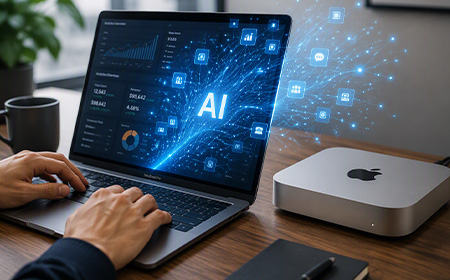
The on-device difference: True local AI (also known as on-device AI) completely cuts out the internet trip, running the actual intelligence models on your office hardware.
Why more businesses are choosing on-device AI
1. The 10-billion parameter rule
The biggest myth in business tech is that you need a massive, trillion-parameter cloud model (translation: ultra-powerful, ultra-expensive AI) for standard office work.
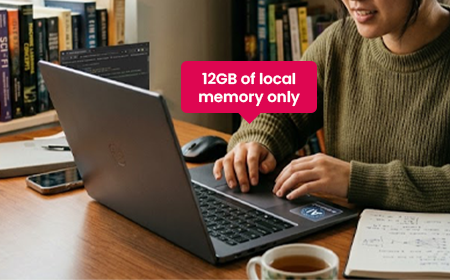
In reality, a recent Omdia report found that 57% of the AI models businesses typically run are lightweight, sub-10-billion parameter models. These don’t need a data centre; they need just 12GB of local memory. Many laptops today can handle that.
2. Apple’s AI masterstroke
The first wave of professional local AI relied on NVIDIA’s traditional, power-hungry PC graphics cards. It introduced businesses to a highly attractive, fixed-cost model: buy or lease the machine, and your local AI processing is essentially free.
But these devices had a hidden traffic jam: data had to shuffle slowly back and forth between separate memory pools, slowing everything down.
Apple got rid of that traffic jam entirely. Their chips share one big pool of memory instead of splitting it into separate pockets – so nothing has to wait in line.
The result: a 128GB MacBook Pro can run seriously powerful AI models (the kind that used to need a data centre) completely offline, right at your desk.
3. NVIDIA responds – and AMD enters the ring
NVIDIA went all-in on power, launching RTX Spark to bring that same kind of on-device AI muscle to everyday Windows laptops.
At the same time, AMD used its Halo platform to deliver powerful local AI performance without the extreme heat, power bills or high costs of a dedicated graphics card setup. AMD setups are generally more affordable too – making them the ultimate setup for department-wide rollouts.
The golden age of on-device AI
You no longer have to pick a side between a sleek macOS setup or the open flexibility of Windows to get absolute privacy and predictable costs.
The best options right now mean matching the right tool to the job:
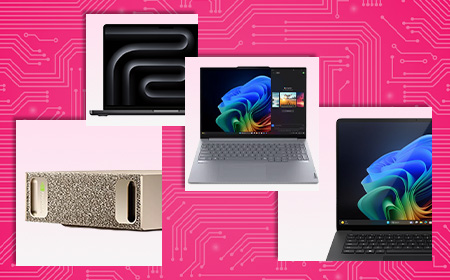
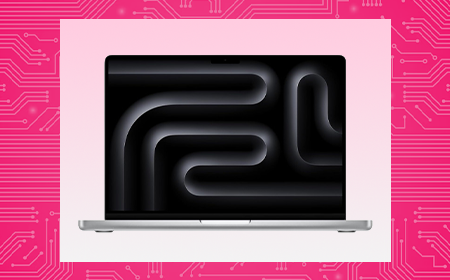
The memory powerhouse: Apple’s MacBook Pro and Mac Studio dominate for raw internal memory capacity, giving you the headroom to run serious local AI models entirely in memory – no data centre required.
The specialist workhorses: High-end Windows desktops packed with NVIDIA graphics cards offer unmatched performance and the industry-standard software support that technical creators demand.
The fleet enablers:Ultra-portable laptops powered by AMD Halo chips give you the perfect mix of local AI speed, low power consumption and all-day battery life – with costs as much as 20% cheaper than competing options.
While many tasks can now run entirely on-device, having cloud “waiting in the wings” makes sense for all kinds of business.
Many operating systems are now smart enough to distribute workloads automatically. Your local hardware handles day-to-day work for free – and seamlessly taps into secure cloud servers only when you need the extra muscle for complex projects.
Why it works: 128GB shatters standard PC graphics bottlenecks, allowing developers to load advanced 70B and 122B parameter models natively into memory for near-instant code reviews.
Cloud reliance: Optional. Handles the vast majority of core engineering pipelines privately at the desk.
The professional services firm (up to 50 people)
The profile: Legal, financial or recruitment firms where data privacy is paramount and deep client archives must be instantly searchable 24/7.
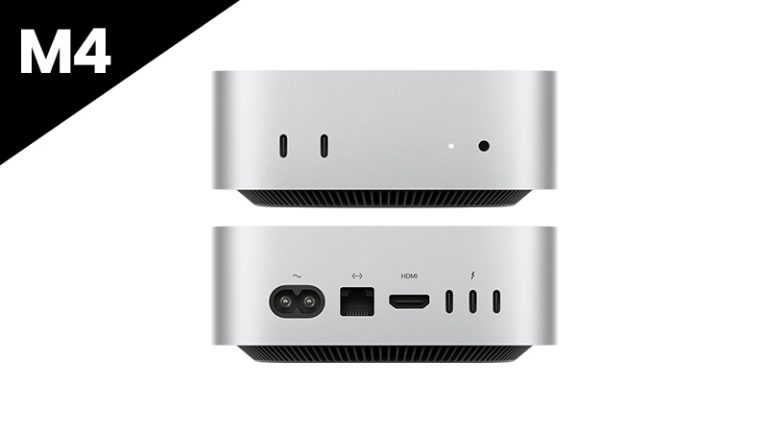
The hardware: Standard staff laptops supported by a fleet of Mac minis acting as “AI agent hubs”.
Why it works: The Mac mini is a silent, low-power background worker. In real-world enterprise rollouts, Apple reports that one customer cut three-year total cost of ownership by over half and energy consumption by 78% after migrating from cloud-based AI to local Mac minis.
Cloud reliance: Yes. Local hubs handle daily sorting securely behind your firewall, tapping the cloud only for heavy, cross-archive analysis.
How can we help?
Set up a 15-minute call with a HardSoft AI expert to find a leasing plan that works for you.
AI FAQs
Is running AI locally actually as good as using the cloud? For what your team does day-to-day, yes. In fact, running open-weight models (like Phi-4 or Llama 3.1 8B) locally is often much faster because you bypass internet delays and busy cloud servers.
What about data security? This is the single biggest win for small firms. When you run AI right on your own devices, data never leaves the machine. What stays on your computer cannot be leaked.
Isn’t the upfront cost of AI hardware too high for a small budget? It is a large upfront CapEx if you buy out of the box. That is why many businesses choose to lease.
The Business Guide to On-Device AI: How to Cut the Cloud Cord in 2026
Cloud AI bills are spiraling. New laptops and desktops now run powerful AI right on your team’s machines — cutting costs, locking down data and killing the monthly meter. Here’s how to build the right AI setup for your business.
Quick Summary
If you’ve spent the last two years watching your team test-drive AI tools, you’ve probably noticed two things: it’s incredibly powerful, and your cloud bills are becoming weirdly expensive.
In 2026, businesses are realising that sending every single prompt to a distant data centre is slow, pricey and a compliance minefield. That’s why the tide is turning toward AI independence — running powerful AI models directly on the laptops and desktops your team uses every day.
This guide pulls together everything you need to know: why businesses are switching, who’s building the best AI hardware right now (Apple, NVIDIA and AMD have all thrown their hats in), and exactly which setup fits your team.
We’ve been kitting out UK businesses for 40 years, so these aren’t generic picks — they’re the machines we actually put on people’s desks.
Let’s clear up the jargon, because three very different things get lumped together.
Consumer cloud AI is opening a browser to ask ChatGPT or Gemini a quick question. Handy, but a standalone service — not part of your core IT.
Enterprise cloud AI is the corporate platforms and background automations that rent processing power from distant data centres. This is where the costs live.
True on-device AI means the actual language models are installed and executed entirely within your physical hardware. If a tool needs an active internet connection to function, it isn’t on-device.
That last one is the game-changer — and it’s finally practical for everyday business machines.
The “Cloud Hangover”: Why Businesses Are Switching
The honeymoon period with cloud-based AI is ending. According to recent market data, a staggering 91% of enterprise IT leaders report significant issues with their cloud AI partnerships — citing data security, cost and disappointing performance. A pivot toward on-device AI tackles three headaches:
The “experimentation tax.” In the cloud, every time you ask AI to “summarise this report” or “fix this code,” a meter runs. These are inference costs — the price of the AI actually doing the work — and they’re wildly unpredictable as more staff pile in.
The privacy paradox. To use cloud AI, you send your data to a third party. Even with “enterprise” protections, 76% of organisations worry about data leakage. If you handle proprietary designs or sensitive client info, risk mitigation isn’t enough — you need risk elimination.
The visibility gap. It’s easy to track a monthly SaaS bill. It’s much harder to see the hidden costs — the hours your technical teams burn on security reviews and compliance paperwork just to get a project over the line.
Local AI also simply feels faster. There’s no internet round trip to a remote data centre, so responses often begin almost immediately.
The Privacy Advantage
At HardSoft, we talk a lot about architectural privacy. It sounds technical, but it’s dead simple: data that never leaves your computer cannot be leaked.
Run AI locally and your customer data, codebases and internal research stay behind your firewall. You can pull the internet cable out of the wall and everything still works — because all the capability and data is on your machine. No 20-page Data Processing Agreement required, because the data isn’t going anywhere.
In regulated sectors like healthcare, finance and law, where data sovereignty is a legal requirement rather than a nice-to-have, that’s enormous.
Understanding the “10 Billion Rule”
“Surely my laptop isn’t powerful enough to run a ‘real’ AI?” In 2024, you’d have been right. In 2026, you’re likely wrong.
One of the biggest myths is that you need a massive, trillion-parameter cloud model for everyday tasks. In reality, 57% of the AI tasks businesses run rely on lightweight models with fewer than 10 billion parameters — the ones handling routine data formatting, file indexing and document summaries.
Here’s the catch: most companies are still renting cloud space to run these lightweight models, racking up needless API bills. You’re paying for the big daddy but getting a (more than capable) minnow to do the work.
A 10-billion-parameter model doesn’t need a data centre. It only needs around 12GB of memory to run well, because modern AI formats shrink big models so they run locally without a noticeable drop in quality (it’s called quantisation, if you’re curious). Most high-end business laptops today handle this with ease.
Jargon alert — “parameters.” Think of these as the brain cells of an AI. The headline-grabbing models have trillions, but an AI with 10 billion cells is more than smart enough for conversational AI, complex summarisation and even advanced coding assistance.
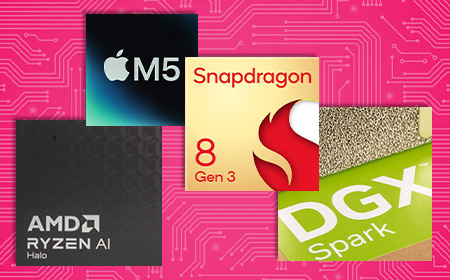
The Contenders: Apple vs NVIDIA vs AMD
The best news for business? This is no longer a one-horse race. In just eight short months the market has completely transformed, and there’s now an AI-ready machine tailored to every role in your company.
Apple: the unified memory long game
It’s a common misconception that Apple jumped on the AI bandwagon. In fact, the company started baking “neural engines” — parts dedicated purely to AI — into its chips back in 2017. Every lesson learned went into the M-series processors that power today’s MacBooks, where the CPU, GPU and Neural Engine all work together.
Apple’s secret weapon is Unified Memory Architecture (UMA). In a traditional PC, the processor and the graphics card have separate pools of memory, and shuttling data between them creates a bottleneck. Apple gave the whole chip one massive, shared, high-speed reservoir instead. That’s why a 128GB MacBook Pro can run a 70-billion-parameter model with ease — no cloud required. Need to go bigger? The Mac Studio, with up to 512GB of unified memory, chews through models over 100 billion parameters right at your desk.
This isn’t “toy model” territory, either. Forward-thinking firms are now running massive open-weight models locally with output quality practically indistinguishable from top-tier cloud models — at zero per-token cost and with absolute privacy.
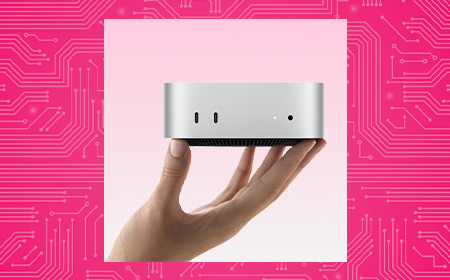
The Mac mini as a 24/7 “AI agent hub”
One of the most interesting trends of 2026 is the humble Mac mini as an “AI agent hub” — a small, quiet, low-power machine running background AI 24/7, organising files and monitoring data while you sleep. Under the latest macOS you can even daisy-chain several together into a private AI supercomputer in the corner of the office. For some firms, moving routine tasks off the cloud and onto local minis has cut total cost of ownership by more than 50%.
Bonus: Apple’s Private Cloud Compute handles the occasional oversized task on secure Apple Silicon servers without retaining your data afterwards — and it’s included natively in Apple Intelligence, no extra token fees.
NVIDIA: raw power and universal compatibility
NVIDIA took the early crown by dropping powerful discrete GPUs straight into Windows workstations, letting businesses stop paying per-token cloud fees and start running models in-house. And it isn’t backing down.
Interestingly, 56% of organisations using Macs for local AI also deploy NVIDIA hardware — they’re not switching teams, they’re building hybrid fleets to get the best of both.
NVIDIA’s real trump card is compatibility: because most of the world’s AI software is built for its tech, technical teams prefer it for heavy-duty projects. It’s also pushed into mobile with the RTX Spark platform, powering AI-ready Windows laptops like the Surface Laptop Ultra.
The biggest surprise of 2026 has been the rapid rise of AMD. Rather than chase the biggest, most power-hungry chip, AMD built a brilliant middle ground: significantly more AI performance than a standard office laptop, but without the heat, noise and eye-watering energy bills of a top-tier rig.
Its new Halo chip lineup launches at roughly 20% cheaper than competing NVIDIA options — which makes AMD-powered devices ideal for wide-scale company rollouts, not just a treat for the developers.
It lets whole teams effortlessly run the 57% of everyday AI tasks that don’t need a massive, expensive tech stack.
Cloud vs Local: Where Do Your Tools Actually Run?
To build a smart hardware strategy, you need to know which tools need the internet and which run entirely offline.
The full model files sit on your hardware and process data entirely offline, behind your firewall, with total privacy.
The 2026 rule of thumb: use cloud platforms for massive, creative or web-scale research where data sensitivity isn’t a barrier. For routine automation, private company data and 24/7 background agents, run open-weight models locally on your leased hardware to kill subscription costs and guarantee privacy.
Jargon alert — “open-weight model.” Standard cloud AI keeps its system locked away behind an internet wall. An open-weight model hands you the finished, fully trained settings so you can run it 100% offline with total privacy.
Match the Hardware to Your Team
The smartest businesses right now aren’t just buying “faster computers” — they’re building targeted technology portfolios. Think of the switch you made to Netflix: you didn’t rip the aerial off the roof, you kept the BBC and ITV too.
Here, the cloud is Netflix and your local machines are the trusty aerial. Whatever your team size, the goal is identical: absolute privacy, predictable costs and flawless performance.
Business Type
Recommended Hardware
Why It Works
Cloud Use?
Agile team of 10 — creative, marketing, consulting
Sovereign, high-memory local processing for sensitive R&D
Definitely — for ultra-massive, multi-layered workloads
The strategy today is never about buying the most expensive machine available — it’s about matching the right tool to the job. For raw memory capacity, the Mac Studio and MacBook Pro are hard to beat. For specialist engineering, NVIDIA workstations offer industry-standard software support. For a mobile workforce, AMD ultra-portables and Copilot+ Windows laptops deliver local AI speed with all-day battery.
Is on-device AI really as good as the cloud? For what most businesses do day-to-day, yes — and it’s often faster, because you’re not waiting on a busy cloud server to respond.
Does “on-device” mean we can’t use the cloud at all? Not at all. The future is hybrid. Modern operating systems are smart enough to process everyday tasks locally for free, then tap secure cloud infrastructure only when you need the extra muscle. You get local privacy and infinite cloud scale.
Isn’t the upfront hardware cost too high? You’re trading a never-ending monthly bill for a fixed cost you can manage. Buying outright is a big CapEx hit, though — which is exactly why leasing is so popular (more below).
What about data security? This is the single biggest win. What never leaves your computer cannot be leaked to third-party servers. No complex data agreements, no exposure.
So the future is hybrid? That’s where we’d put our money. On-device AI brings speed, security and savings; cloud AI is your super-sub for when things get heavy.
Leasing AI Supercomputers With HardSoft
Here’s the honest bit: the hardware that makes on-device AI possible isn’t cheap to buy outright. A capable AI workstation runs anywhere from £2,000 to £7,000+, and buying a fleet of them is a serious capital hit. That’s why the shift to local AI and the shift to leasing go hand in hand — you swap unpredictable cloud fees for one fixed, predictable monthly cost.
We’ve spent 40 years helping businesses get the right tech at the right time — from global brands like LG and Levi’s to hundreds of fast-growing smaller firms. It’s IT leasing, reinvented.
Whether you’re kitting out a creative team of ten or building a private AI supercomputer cluster, the question is no longer if your business should run AI locally — it’s where. Explore the full range of NVIDIA-powered supercomputers, Copilot+ PCs and Apple Intelligence machines ready to lease today, and cut the cloud cord for good.
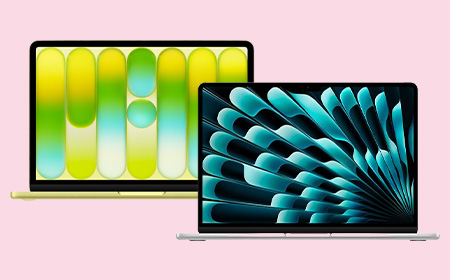
MacBook Neo vs Air: Performance, Value, and What Businesses Should Know
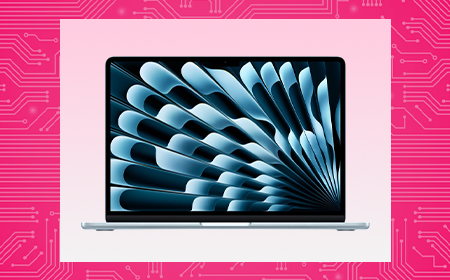
This guide compares the MacBook Neo and the MacBook Air M5 for business teams — what each one offers, the specs that actually matter at work, and how to match the right machine to the right role.
Quick Summary
These are Apple’s two most affordable laptops but they’re built on different foundations.
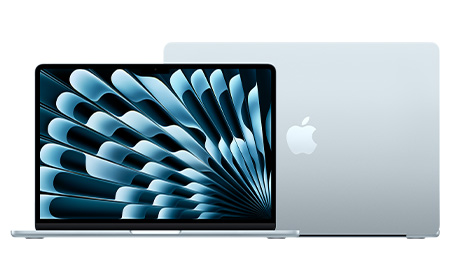
The Neo runs an A-series chip — the same A18 Pro found in the iPhone — while the Air runs Apple’s M5 silicon. That single difference shapes everything: memory, connectivity, and how each machine copes with a heavy day’s work.
On leasing, the Neo starts from around £3.72 +VAT per week and the Air from £6.91 — so the Neo is close to half the cost. But cost is only half the decision. The rest comes down to what your people actually do all day.
The Neo is the most affordable Mac Apple has ever made, and for a large slice of any workforce it’s all the laptop they need.
Performance. The A18 Pro pairs a 6-core CPU with a 5-core GPU and a 16-core Neural Engine, with Apple Intelligence built in. It flies through the everyday: email, Microsoft 365 and Google Workspace, web-based CRMs, video calls and general multitasking. It’s a phone-class chip, so it’s not built for sustained heavy lifting — but most business roles never ask it to.
Memory. The Neo has 8GB of unified memory, with no option to add more now or later. That’s comfortable for someone living in a couple of apps and a handful of tabs. However, if you push it with dozens of tabs plus several apps at once, it starts to feel tight. See How Much RAM Should You Order in Your Next Mac? for why this matters over a multi-year lease.
Connectivity. Two USB-C ports (one fast 10Gbps, one basic USB 2.0), Wi-Fi 6E, and support for one external 4K display. There’s no Thunderbolt, so a busy dual-monitor dock is out of the box — though a USB-C dock solves most of that (more below).
Display, battery and build. A bright 13″ Liquid Retina screen (500 nits, a billion colours), up to 16 hours of battery, a silent fanless design, and four colours to choose from. Note two trade-offs: Touch ID is only on the 512GB model, and there’s no backlit keyboard or fast charging.
The Air is the default “everyday professional” Mac — noticeably more capable under the hood, and built to stay comfortable across a longer lease.
Performance. The M5 steps up to a 10-core CPU, up to a 10-core GPU, and more than twice the Neo’s memory bandwidth. That headroom is what keeps things smooth when the workload is sustained — heavy multitasking, larger datasets, creative apps, and anything that runs hard for long stretches without slowing down.
Memory. The Air starts at 16GB and configures up to 32GB. On Apple Silicon, memory is the single biggest factor in how well a machine ages, so this is the spec that most justifies the extra weekly cost for demanding roles — and the main reason not to under-spec someone you’re equipping for three years.
Connectivity.Thunderbolt 4 plus MagSafe charging, and support for multiple external displays. This is the practical difference for desk-based staff: full docking, faster peripherals, and a proper multi-monitor setup from a single connection.
Display, battery and build. A choice of 13.6″ or 15.3″ Liquid Retina — useful when someone wants more screen without moving up to a MacBook Pro — plus up to 18 hours of battery, a backlit keyboard, fast charging, and Touch ID as standard.
Both machines make great desk workstations with the right accessories — and you can easily add these to any lease with HardSoft.
A USB-C or Thunderbolt docking station turns a single laptop port into a full desk, complete with an external display, wired network, and charging.
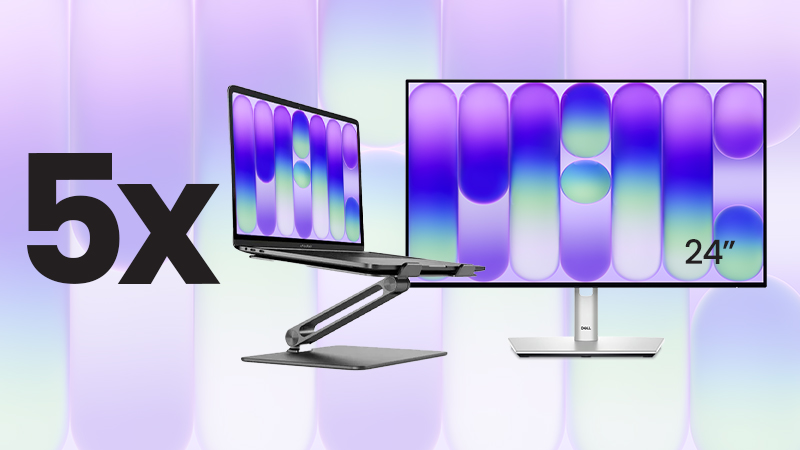
For teams standardising on the Neo, we’ve packaged it up: the MacBook Neo Desktop Bundle pairs five 512GB Neos (with Touch ID) with Dell 24″ USB-C hub monitors and Alogic stands that lift the screen and help airflow on the fanless chassis. That’s five complete workstations for £39 +VAT per week (around £7.80 a desk).
Matching the Machine to the Role
Role
Best Fit
Why
Admin, operations & reception
Neo
Email, 365/Workspace, web CRMs — smooth, silent, cost-effective
Frontline, field & retail
Neo
Point-of-sale, scheduling, a browser — no headroom wasted
New starters & second devices
Neo
Fast, affordable and easy to deploy at scale
Sales, account management & leadership
Air
All-day calls, presentations and endless tabs fill 8GB fast
Marketing
Split
Neo for writers and social; Air for designers and heavier creative
Design, development & power users
Air (min.)
Adobe, IDEs, Docker and simulators need M5 and 16GB+
The Leasing Maths
Bought outright, the Neo (£699) and the Air (£1,299+) are £600 apart per person — a gap that grew after Apple’s June 2026 price rises. Spread across a lease, the gap is about £3.19 a week per device. Leasing makes the price gap small enough to choose each laptop for the job, not the price tag.
For a typical team, the Neo is the smart, cost-effective choice — admin, reception, frontline, retail and single-app roles, and with a dock or the Desktop Bundle it makes an excellent office workstation too.
For the people who multitask heavily, work docked across multiple monitors, or run creative and development tools, the Air’s M5 chip, 16GB+ memory and Thunderbolt aren’t a luxury — they’re what keeps those roles productive across the life of the lease.
So it’s rarely “Neo or Air” for the whole business. The best answer is usually both, matched to how each person works — and because leasing narrows the cost gap to a few pounds a week, that mix is easy to build and easy to adjust as your team changes.
Lease the Neo from under £4 a week, or the Air from under £7. Speak to our team to map the right setup for your business.
Sophos Security Leasing for Total Business Protection
Sophos security leasing enables your business to deploy advanced cyber protection with predictable monthly payments. Designed for modern IT environments, Sophos solutions include endpoint protection, firewall security, and real-time threat intelligence to safeguard your data and users. IT leasing ensures your organisation stays protected against evolving threats while maintaining flexibility to scale or upgrade as your security needs change.
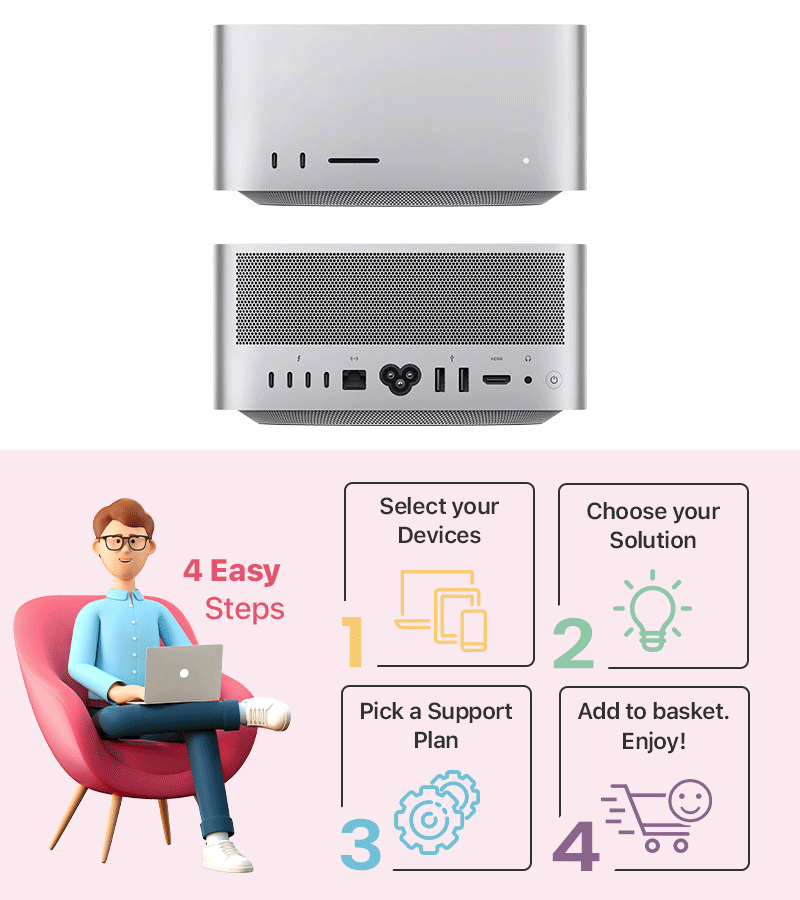
Apple Mac Studio Leasing for High-Performance Teams
Leasing Apple Mac Studio gives your business a cost-effective way to deploy desktop-class performance without large upfront spend. With powerful Apple silicon like M4 Max or M3 Ultra, Mac Studio leasing supports demanding workflows including video production, 3D design, and software development, all on a compact, energy-efficient device built for professional environments.
Enabling your team to handle demanding creative and technical workloads
The Apple Mac Studio is a high-performance desktop built for demanding professional workloads such as video editing, 3D rendering and software development. It’s designed for professionals who need workstation-class power in a compact desktop form.
Can you use an Apple Mac Studio with any monitor?
Yes, the Mac Studio supports most modern monitors via its display ports including multiple external displays depending on configuration. It is not sold with a bundled monitor, so buyers choose their own.
Is the Mac Studio good for students?
The Mac Studio is generally more powerful and expensive than most students need; a MacBook Air or Mac Mini is typically better value for standard coursework. It would only suit students working in demanding fields like advanced video production or 3D modelling.
Is the Mac studio good for graphic design and video editing?
Yes, the Mac Studio is well suited to graphic design and video editing, offering high-performance chips, fast storage and support for multiple high-resolution displays. It’s one of Apple’s top choices for creative professionals with intensive workloads.
What’s the difference between the Mac Studio and Mac Mini?
The Mac Studio offers significantly more processing power, memory and connectivity for professional creative and technical work, while the Mac Mini is more affordable, compact desktop for every business and general use. The Studio is priced and positioned as a workstation, whereas the Mini is an entry-level desktop.
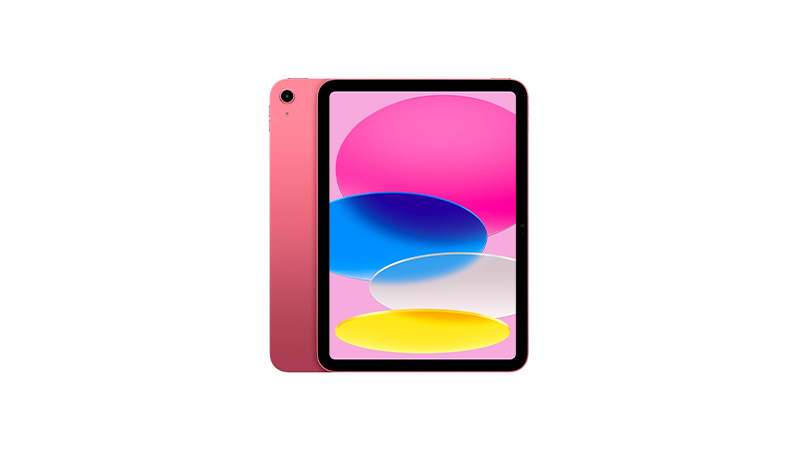
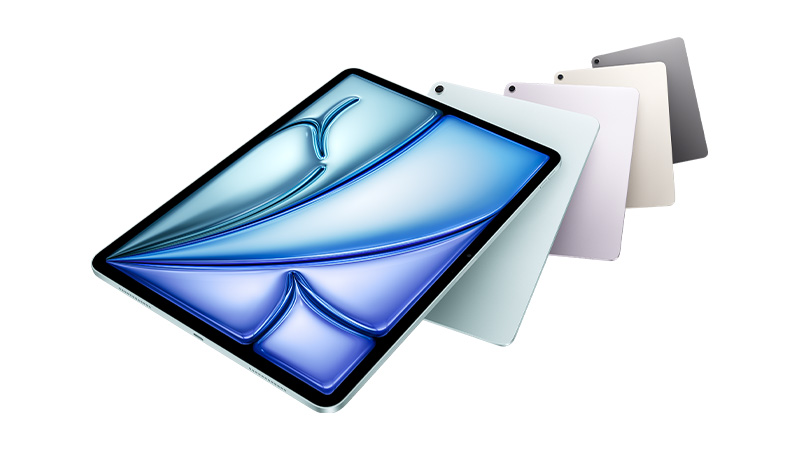
Apple iPad leasing gives your business a flexible, cost-effective way to equip teams with powerful tablets without upfront costs. From iPad and iPad mini to iPad Air and iPad Pro, each model offers reliable performance, high-quality Retina displays, and strong battery life for day-to-day productivity.
Support everyday business tasks with a lightweight, versatile touchscreen device
What's the difference between an Apple iPad Air and iPad Pro?
The iPad Pro offers a faster chip, a higher-quality display (including mini-LED or OLED on larger models), and better support for demanding creative work, while the iPad Air offers similar core functionality at a lower price with slightly less performance headroom. Most general business users are well served by the Air, while creative professionals benefit from the Pro.
Can an Apple iPad replace a laptop?
For many light-to-medium tasks – email, note-taking, presentations and web-based work – an iPad paired with a keyboard case can replace a laptop. Users needing full desktop software or complex multitasking will still find a MacBook or Windows laptop more capable.
What are the benefits of an iPad alongside a laptop?
An iPad adds portability for meetings, note-taking and presentations, along with Apple Pencil support for sketching and annotating documents on the go. It also extends a Mac’s capabilities through features like Sidecar, turning the iPad into a second screen.
What iPad is best for business use?
The best choice depends on your needs: the iPad Air offers a great balance of performance and affordability for hybrid and mobile teams, while the iPad Pro suits users needing laptop-level power for demanding tasks. Read our full guide on choosing the right iPad for business to find the best fit for your team.
Which accessories are recommended for an Apple iPad?
For business use, we recommend pairing your iPad with an Apple Pencil for notetaking and annotation, plus a Magic Keyboard or Smart Keyboard Folio to turn it into a lightweight workstation. Browse our full range of Apple accessories to kit out your devices.
Leasing Apple Mac mini gives your business a cost-effective way to deploy powerful desktop performance without upfront spend. Mac mini leasing is ideal for teams needing compact yet capable systems, powered by Apple silicon (M-series chips) with fast SSD storage and energy-efficient performance. Support creative, development, or office workloads while maintaining predictable monthly payments and keeping your IT budget under control.
Flexible Mac mini leasing with predictable monthly payments
The Mac Mini is a compact desktop computer, without a built-in screen, keyboard or mouse, used for everyday office work, software development and as an affordable entry point into the Mac ecosystem. It’s popular in businesses needing a desktop Mac at a lower cost than an iMac.
Who is the Mac Mini best suited for?
The Mac Mini suits users who already own a monitor, keyboard and a mouse and want flexibility when building their own desktop setup, as well as businesses deploying Macs at scale cost-effectively. It’s also popular for server, home-lab and studio use.
Can I use the Mac Mini with any computer?
The Mac Mini works with most standard monitors, keyboards and mice via USB-C, HDMI and Bluetooth, so it isn’t tied to specific brands. It cannot however, be used as an accessory to another computer – it’s a standalone Mac in its own right.
How many screens can an Apple Mac Mini support?
The latest Mac Mini models can support up to three external displays, although the exact number depends on the chip and model you choose. For example, the Mac Mini with M4 or M4 Pro can run up to three monitors simultaneously, while some older models support only two.
Google Pixel Phone Leasing for Secure Business Mobility
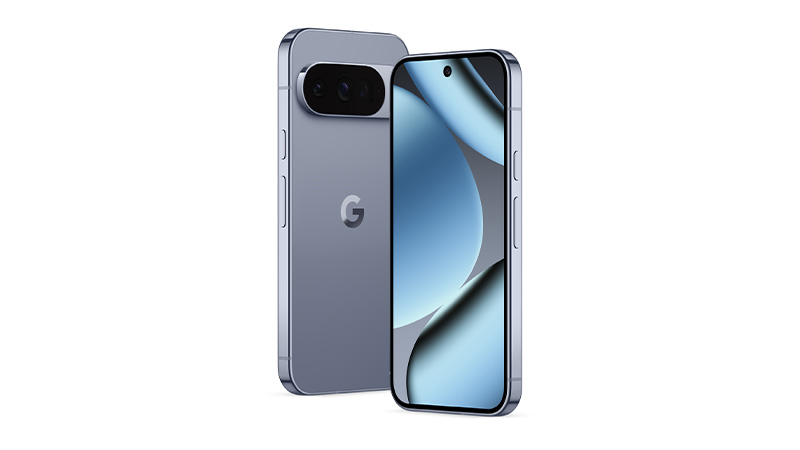
Leasing Google Pixel phones enables your business to equip teams with secure, reliable mobile devices through flexible IT leasing. Google Pixel Phone leasing supports day-to-day communication and productivity with clean Android software, regular security updates, and seamless integration with Google Workspace, helping your team stay connected and efficient across office and remote environments.
Samsung Galaxy BookLeasing for Modern Business Teams
Equip your team with high-performance laptops through Samsung Galaxy Book6 leasing, with no upfront costs and a streamlined way to stay up to date. Built for modern work, these devices combine Intel Core Ultra processors, vibrant AMOLED displays on select models, and lightweight designs suited to hybrid teams. IT leasing keeps your organisation agile while ensuring access to the latest Samsung hardware.
Flexible leasing for hybrid workforce productivity
Samsung’s GalaxyBook range offers a good balance of battery life and price for students, along with strong integration with Samsung phones and tablets. The lighter models are particularly well suited to carrying between classes, and the range’s consistent specs across models also make it easy for schools to roll out uniformly across entire classes or year groups.
What are the display benefits of the Samsung Galaxy Book6 Pro?
The Samsung GalaxyBook6 Pro features a high-resolution AMOLED touchscreen that delivers vibrant colours, deep contrast and exception detail. The large display provides plenty of screen space for productivity, while the adaptive refresh rate creates a smooth viewing experience.
What is the lifespan of a Samsung Laptop?
Samsung laptops typically last around 4-5 years with regular use, and up to 6-7 years with good care. For business users, replacing devices every 3-4 years often balances performance with cost-effectiveness, while also helping teams keep pace with new technology as software demands, security standards, and hardware capabilities continue to evolve.