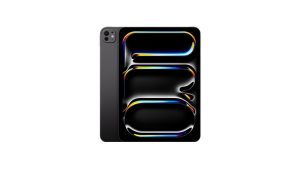
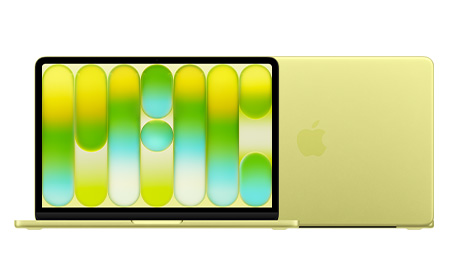
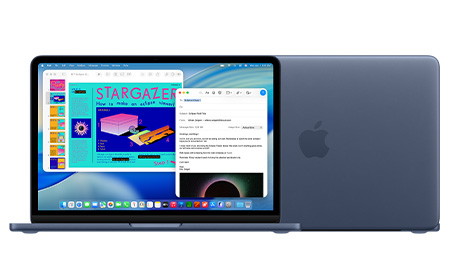
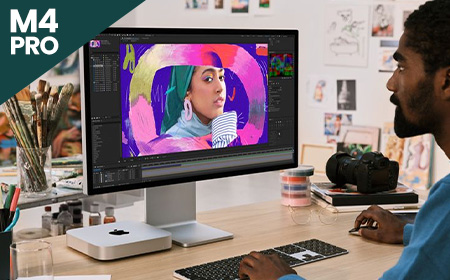
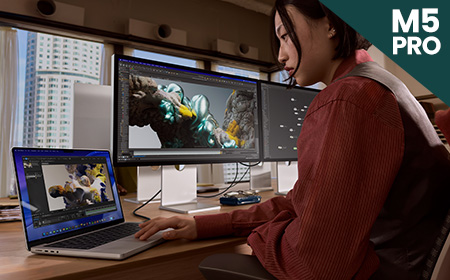
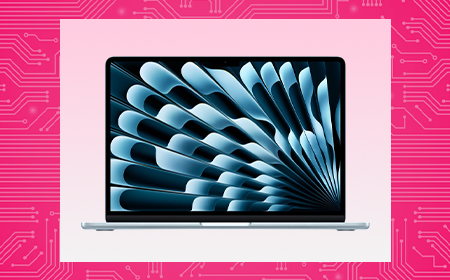
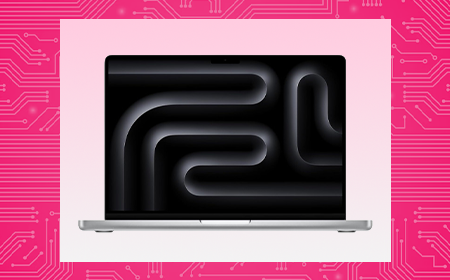
Designed for professionals who need serious performance, the Apple MacBook Pro range features 14-inch M5 and M5 Pro models alongside the powerful AI Apple MacBook Pro 16-inch with M5 Max, 128GB RAM and 4TB SSD storage. With Apple Intelligence support, a Liquid Retina XDR display, all-day battery life and enterprise-grade security, MacBook Pro is built for demanding creative, analytical and technical workloads.
Pair with Shepherd MDM for simplified deployment, management and security across your Apple devices.
High‑performance M5 power built for demanding business workflows
Yes, for users who need serious processing power for tasks like video editing and software development, the MacBook Pro’s faster chips, brighter display and longer battery life justify the higher price. Casual or everyday users may find a MacBook Air or MacBook Neo more cost-effective.
Do Older MacBook Pro Models Still Offer Good Value?
Older MacBook Pro models (M1-M3) still perform well for everyday business tasks and can offer excellent value, especially refurbished. However, buyers should check remaining software update support and battery health before making a purchase.
Why is an Apple MacBook Air cheaper than a MacBook Pro?
The Air is built for everyday portability: light, silent, no fan, because typical use never generates enough heat to need one. The Pro exists for sustained heavy workloads like video rendering or compiling, where active cooling, stronger chips, and better displays let it keep performing under pressure instead of throttling.
What is the lifespan of an Apple MacBook Pro?
A MacBook Pro typically lasts 5-7 years with regular use, supported by Apple’s long-term software updates. Battery health and storage needs are usually the first factors to prompt an upgrade rather than outright failure.
Who is the Apple MacBook Pro Best Suited For?
The MacBook Pro suits professionals with demanding workloads – developers, designers, video editors and data analysts – who need sustained high performance. It’s less necessary for users whose day-to-day work is primarily focused on administrative tasks.
Apple MacBook Neo: Apple Performance at a Lower Monthly Cost
Apple’s most affordable laptop in over a decade — the MacBook Neo — is designed to make Mac ownership more accessible than ever before. This guide breaks down what the Neo offers, who it’s perfect for, who it isn’t right for, and how it compares to older MacBook Air models.
The MacBook Neo is Apple’s new entry‑level MacBook, powered by the A18 Pro chip, the same generation of silicon used in the iPhone 16 series.
The Neo features a 13-inch Liquid Retina display with 500 nits brightness and support for one billion colours — making it vibrant enough for study, shopping, streaming and casual creative work.
The machine comes in four colours, Silver, Blush, Citrus and Indigo, giving it the most playful and consumer-friendly aesthetic in Apple’s lineup.
Specs & Features
A18 Pro Chip. The A18 Pro offers a 6‑core CPU, 5‑core GPU and a 16‑core Neural Engine, giving the Neo enough power for email, schoolwork, office apps, browsing, video calls, streaming and light creative tasks. It also supports Apple Intelligence features.
8GB RAM (Fixed) & 256GB/512GB SSD. The Neo comes with 8GB unified memory and either 256GB or 512GB SSD, with Touch ID available only on the 512GB model. It’s ideal for students and everyday users, though not suited to heavy multitasking or pro workflows.
Strong Battery Life. The Neo delivers up to 16 hours of video playback, allowing all‑day working or studying without needing the charger.
Lightweight With a Premium Aluminium Build. At 2.7 pounds (1.23kg), the Neo weighs the same as a 13-inch MacBook Air and keeps Apple’s signature durable aluminium chassis.
Connectivity. The MacBook Neo includes two USB‑C ports (one USB 3 and one USB 2), plus a headphone jack.
The MacBook Neo is the most accessible way to enter the Mac ecosystem, combining a colourful design, excellent battery life and capable everyday performance — all at a breakthrough price. It’s not a replacement for the MacBook Air or Pro if you need serious power, but for students and everyday users, it delivers outstanding value.
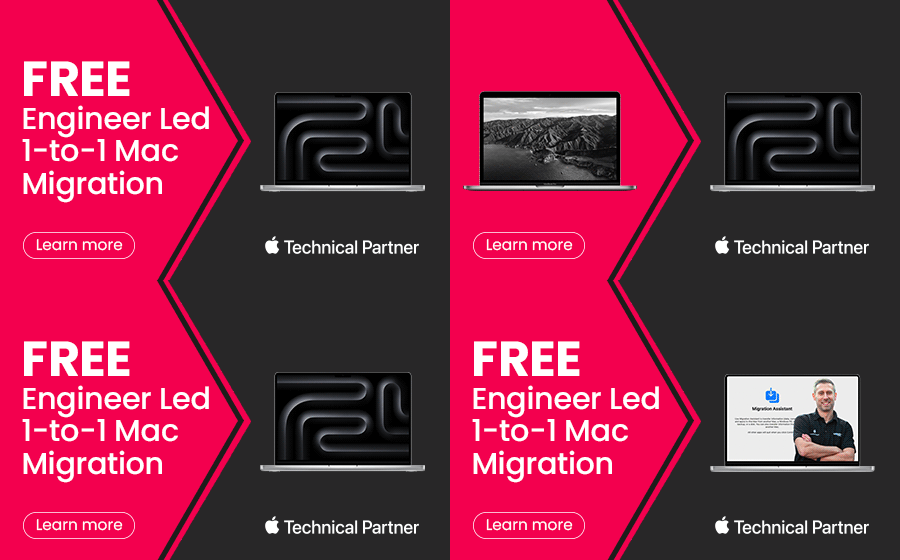
Free 1‑to‑1 Mac Migration with a Dedicated Apple Expert
Switching to a new MacBook should be exciting—not stressful.
At HardSoft, we’re proud to be an Approved Apple Technical Partner, and we know that while Apple users are clever, migrating to a brand‑new Mac can still take time and effort. That’s why we’re offering Free 1‑to‑1 Mac Migration with a Dedicated Apple Expert with every new order of an Apple MacBookPro (14 or 16 inch).
What’s Included?
When you purchase a new Apple MacBook Pro (14 or 16 inch) through HardSoft, you’ll receive:
A dedicated Apple‑certified expert
One‑to‑one Mac migration support
Personalised guidance tailored to your setup
A smooth, secure transition with minimal disruption
Whether you’re upgrading from an older Mac or moving from another device, we’ll make sure your files, applications, and settings are transferred seamlessly—so you can get straight to work.
How It Works
We’ve made the process simple:
Your dedicated Apple expert will guide you through the migration process, ensuring everything is set up exactly as you need it.
Order your new Apple MacBook Pro (14 or 16 inch) from HardSoft
Add the coupon code for Free Mac Migration at checkout, or ask your HardSoft Account Manager to include it on your next order.
Receive your new MacBook. Once your device is delivered, you’re ready to begin.
Book a Microsoft Teams meeting. Schedule a convenient 1‑to‑1 session with one of our HardSoft Solutions Engineers.
Why Choose HardSoft?
Approved Apple Technical Partner
Expert-led, personal support
No additional cost with your MacBook purchase
Designed for busy professionals and teams
We understand Apple inside and out—and we understand that your time matters. Our goal is to remove complexity, reduce downtime, and help you get the most from your new Mac from day one.
Ready to Get Started?
Order your new Apple MacBook with HardSoft today and take advantage of Free 1‑to‑1 Mac Migration with a Dedicated Apple Expert.
M4 vs M5: Which Apple Chip Makes Sense for Your Workload?
Apple continues to redefine performance across the Mac lineup. The M4 generation set new standards for efficiency and AI‑ready workflows, and the newer M5 chips push this even further with major gains in AI acceleration, GPU power, and memory bandwidth. This guide explores both M4 and M5 chips.
M4 vs M5 at a Glance
Apple’s M4 chips focused on efficiency gains, improved graphics, and stronger machine‑learning acceleration. The new M5 series, however, represents a much larger architectural leap, especially for AI.
M5 delivers up to 4× the peak GPU compute performance for AI vs M4 thanks to a new GPU architecture with a Neural Accelerator in every core.
M5 introduces Apple’s “super core”, the world’s fastest CPU core for single‑threaded tasks.
Unified memory bandwidth climbs to 153GB/s on the base M5, up from M4.
The M5 Pro and M5 Max introduce a new multi‑die Fusion Architecture for higher GPU scaling and professional workloads.
Let’s dive further into each of these powerhouse chips.
Apple M4 Chips Explained
What is the Apple M4 Chip?
Fast. M4 is a standout 21% faster than its predecessor, the M3 chip. Configurations are limited to a maximum 10-Core CPU and 10-Core GPU.
Most affordable. The M4 chip is the lowest-cost option when it comes to the new M4 processor range.
Good upgrades. The SSD on 14-inch MacBook Pro, Mac mini, and iMac can be upgraded to a maximum capacity of 2TB, and RAM to a maximum capacity of 32GB.
Great for most industries. M4 Apple MacBooks, Mac minis and Apple iMacs have a maximum 10-Core CPU and 10-Core GPU, and can support one external display, meaning they are suited to the day-to-day needs of most people — but perhaps not those that need an above average amount of storage space for their work.
Limited model choice. It’s worth noting that the M4 is exclusively available for Apple MacBook Pro 14″, Apple iMac and Mac mini — the 16” Apple MacBook Pro offers options for M4 Pro or M4 Max only.
What is the Apple M4 Pro Chip?
Faster. This version features an 14-Core CPU, providing a significant upgrade in processing power, and an 20-Core GPU. This makes M4 Pro products great for handling graphics-intensive tasks.
Mid-priced. Considering the price, this may not be the most budget-conscious option — but the extra cost is worth it for creative professionals, software developers, or anyone else that requires a high-powered machine than the standard M4 for their work.
Better upgrades. RAM on M4 Pro models can be upgraded to a maximum of 64GB, enabling users to tackle larger projects on the go than the standard M4. The SSD can be expanded to a maximum capacity of 8TB on the mac mini and up to 4TB on the MacBook Pro 14 and 16”. Additionally, when opting for M4 Pro, you can choose a Space Black machine.
Great for creatives. The M4 Pro is significantly faster than the M4, with a maximum 14-Core CPU and 20-Core GPU, This makes the M4 Pro significantly more powerful for tasks like video editing, 3D rendering, and other graphics-intensive work.
Only available for MacBook Pro 14 and 16” and the Mac mini. iMac’s are only available with the standard M4 chip.
What is the Apple M4 Max chip?
Fastest option. This version offers a choice between a 16-Core CPU, a substantial increase in processing power compared to the M4 Pro. This processor option also incorporates a 40-Core GPU.
Highest priced option. Considering the price, this won’t be the most cost-friendly choice for most people. However, the extra cost is worth it for creative professionals that require a very fast and high-spec laptop for their work, the increased core count ensures faster processing times and smoother multitasking.
Best upgrades. With support for up to 128GB of unified memory, and an SSD capacity of up to 8TB, the M4 Max has the biggest capacity for upgrades of the three M4 chips. Additionally, when opting for M4 Max, you can choose a Space Black machine.
Great for high-end creative professionals. Equipped with a maximum 16-Core CPU and 40-Core GPU and the capacity to support up to four external monitors, M4 Max is ideal for creative professionals who need a high-powered machine with great graphics for tasks such as video editing. The M4 Max offers a nano-texture display option, which reduces glare and reflections, providing a clearer and more consistent viewing experience. This is particularly valuable for creatives who require precise colour accuracy and detail.
Only available for MacBook Pros. Currently, you can only purchase MacBook Pro 14″ and 16″ with this option – iMac’s are only available with the standard M4 chip while mac mini give you the option of M4 or M4 Pro.
Fast. M5 delivers a major speed boost with up to a 10‑core CPU (up to four super cores + six efficiency cores), offering up to 15% faster multithreaded performance than M4. Its new 10‑core GPU with a Neural Accelerator in each core provides over 4× the peak GPU compute performance for AI vs M4.
Good upgrades. The base M5 boosts unified memory bandwidth to 153GB/s, nearly 30% higher than M4. Devices using M5 also benefit from faster storage performance and next‑generation AI acceleration.
Great for most industries. With up to a 10‑core CPU, 10‑core GPU, and improved AI capabilities, M5 suits general business use, productivity, education, and creative light‑to‑medium workloads.
Limited model choice. The base M5 is currently found in select devices such as the 13-inch MacBook Air, 14‑inch MacBook Pro, and iPad Pro, while larger MacBook Pro models and pro workflows require M5 Pro or M5 Max.
Faster. M5 Pro introduces a new Fusion Architecture, combining two silicon dies for a major performance uplift. It features up to an 18‑core CPU and a next‑generation GPU with up to 20 cores, delivering up to 30% CPU improvement vs M4 Pro.
Not the most budget‑friendly. The M5 Pro sits firmly in the higher price bracket. However, some M5 MacBook Pro 14″ configurations are now £100 cheaper than the previous M4 Pro equivalents, specifically the 16GB RAM / 1TB SSD and 24GB RAM / 1TB SSD models. This makes these configurations unexpectedly better value than before.
Better upgrades. Unified memory bandwidth increases to 307GB/s, and SSD performance is up to 2× faster. The GPU includes a Neural Accelerator in each core, providing more than 4× peak GPU compute performance vs the previous generation.
Great for pro workflows. Ideal for data modelling, video and audio post‑production, coding, STEM applications, and AI‑enhanced tasks.
Limited model choice. M5 Pro is available only in the 14‑inch and 16‑inch MacBook Pro models and does not appear in entry‑level models or the MacBook Air.
What is the Apple M5 Max Chip?
Fastest. M5 Max scales performance further with an 18‑core CPU and up to a 40‑core GPU, offering the highest GPU compute in the M5 family. Its GPU architecture includes Neural Accelerators in every core and delivers over 4× the peak GPU compute performance vs M4 Max.
The most expensive option by far. M5 Max models sit at the very top of Apple’s pricing, with the 16‑inch M5 Max MacBook Pro starting from a significantly higher price point compared with previous generations. This chip is only worth the investment for users with extremely demanding workloads.
Good upgrades. Unified memory bandwidth reaches 614GB/s, the highest of any Apple Silicon laptop chip. GPU and media engine improvements double encoding engines and significantly boost ray‑tracing performance.
Great for demanding industries. Best suited to 3D animation, large‑scale AI/ML workloads, complex simulations, high‑end video workflows and other GPU‑intensive pro environments.
Limited model choice. M5 Max is exclusive to the 14‑inch and 16‑inch MacBook Pro models only.
M4 vs M5 – Device Compatibility Comparison
Swipe left/right to view the full table.
Device
M4
M4 Pro
M4 Max
M5
M5 Pro
M5 Max
MacBook Air 13"
Yes
No
No
Yes
No
No
MacBook Air 15"
Yes
No
No
Yes
No
No
MacBook Pro 14"
Yes
Yes
Yes
Yes
Yes
Yes
MacBook Pro 16"
No
Yes
Yes
No
Yes
Yes
iMac
Yes
No
No
No
No
No
Mac mini
Yes
Yes
No
No
No
No
M4 Chips in Summary
M4 is available for the MacBook Air 13″ and 15″, MacBook Pro 14″, Mac mini and iMac. This chip is a good choice for everyday use and less data-intensive workloads.
M4 Pro is the mid-level option, available for MacBook Pro 14″ and 16″ as well as the Mac mini. This chip is a good choice for people with slightly more data-intensive workloads, who require higher spec capacity.
M4 Max is the fastest and most efficient of the M4 lineup, and is available for MacBook Pro 14″ and 16″. Laptops with this chip are better suited for those with heavily data intensive workloads, and creative professionals who need a high-powered laptop with a lot of storage space, as these laptops offer the most upgrades.
M5 Chips in Summary
M5 is available for the 13-and 15-inch MacBook Air, 14‑inch MacBook Pro, as well as iPad Pro — giving it broad appeal across both laptop and mobile productivity devices. It is the entry‑level M5 option and a strong choice for everyday business users who want improved AI performance and modern speed.
M5 Pro is the mid-tier option and is exclusive to the 14‑inch and 16‑inch MacBook Pro models. It introduces Apple’s new Fusion Architecture, an 18‑core CPU, and a more powerful GPU, making it ideal for professionals handling more demanding workloads such as video production, coding, and multi‑tasking.
M5 Max is the top‑tier option for the M5 generation and is also exclusive to the 14‑inch and 16‑inch MacBook Pro. With an 18‑core CPU, up to 40‑core GPU and massive memory bandwidth, it is best suited to high‑end creative professionals, AI developers, and users working with extremely intensive graphics or simulation workloads.
Apple Business Manager: Simplifying Deployment, Security & Control
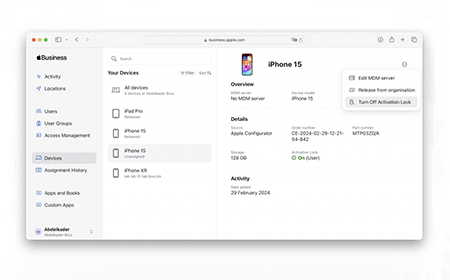
Apple Business Manager (ABM) is a free, web-based portal designed to help organisations deploy and manage Apple devices at scale.
What Is Apple Business Manager?
Apple Business Manager (ABM) is a free, web-based portal designed to help organisations deploy and manage Apple devices at scale.
Whether you’re a startup or an enterprise, ABM simplifies device enrolment, app distribution, and policy enforcement — especially when paired with a Mobile Device Management (MDM) solution.
ABM provides IT administrators with a centralised platform to:
Enrol Apple devices into management systems
Configure settings and security policies
Distribute apps and content
Manage Apple IDs for employees
It integrates with Apple’s Device Enrolment Program (DEP) and Volume Purchase Program (VPP), streamlining workflows for organisations using macOS, iOS, and iPadOS devices.
Creating an Apple Business Manager Account
To get started, your organisation must
Have a valid DUNS number.
Register with Apple using a business Apple ID.
Verify your organisation via a phone call from Apple.
Set up a Managed Apple ID and retrieve your Organisation ID.
Add your reseller using Reseller ID.
Once verified, you can begin enrolling devices and linking them to your MDM server.
New Device Rollouts: Seamless setup for new hires.
Remote Work: Manage devices without physical access.
Device Refresh Cycles: Prepare for upgrades with minimal disruption.
BYOD Management: Secure employee-owned devices.
Final Thoughts
Apple Business Manager is a powerful tool for any organisation using Apple hardware. While it can operate independently, pairing it with an MDM solution like Shepherd or Jamf unlocks its full potential. From device enrolment to app deployment, ABM simplifies IT workflows and enhances security.
For more detailed guidance, explore the full blog series linked throughout this guide.
Still paying a distant data centre monthly fees to summarise documents or index files? Discover how recent developments mean you can now bring many of your AI tasks on-device.
According to recent reports, 91% of IT leaders are reporting friction with their cloud AI providers. Unpredictable “inference fees” (paying every single time your team submits a prompt) and compliance issues are among the biggest headaches.
The good news is we now have a viable alternative.
Many of today’s highly capable AI models can run directly on the laptops and desktops your team uses every day. These AI models are:
Completely offline
Lightning-fast
And entirely behind your firewall
Here, we lay out how the AI landscape has rapidly shifted – with practical advice on kitting out your business with the hardware you need to reduce or even end costly cloud bills.
In brief: By cloud AI, we mean corporate systems and background automations that rent processing power from distant data centres. Every task sends your company data over the internet to a third-party server to do the heavy lifting.
How it differs from a web prompt: Opening a browser to ask ChatGPT or Gemini a quick question uses consumer-facing cloud AI tools. While these also run in the cloud, they are typically standalone applications.
The on-device difference: True local AI (also known as on-device AI) completely cuts out the internet trip, running the actual intelligence models on your office hardware.
Why more businesses are choosing on-device AI
1. The 10-billion parameter rule
The biggest myth in business tech is that you need a massive, trillion-parameter cloud model (translation: ultra-powerful, ultra-expensive AI) for standard office work.
In reality, a recent Omdia report found that 57% of the AI models businesses typically run are lightweight, sub-10-billion parameter models. These don’t need a data centre; they need just 12GB of local memory. Many laptops today can handle that.
2. Apple’s AI masterstroke
The first wave of professional local AI relied on NVIDIA’s traditional, power-hungry PC graphics cards. It introduced businesses to a highly attractive, fixed-cost model: buy or lease the machine, and your local AI processing is essentially free.
But these devices had a hidden traffic jam: data had to shuffle slowly back and forth between separate memory pools, slowing everything down.
Apple got rid of that traffic jam entirely. Their chips share one big pool of memory instead of splitting it into separate pockets – so nothing has to wait in line.
The result: a 128GB MacBook Pro can run seriously powerful AI models (the kind that used to need a data centre) completely offline, right at your desk.
3. NVIDIA responds – and AMD enters the ring
NVIDIA went all-in on power, launching RTX Spark to bring that same kind of on-device AI muscle to everyday Windows laptops.
At the same time, AMD used its Halo platform to deliver powerful local AI performance without the extreme heat, power bills or high costs of a dedicated graphics card setup. AMD setups are generally more affordable too – making them the ultimate setup for department-wide rollouts.
The golden age of on-device AI
You no longer have to pick a side between a sleek macOS setup or the open flexibility of Windows to get absolute privacy and predictable costs.
The best options right now mean matching the right tool to the job:
The memory powerhouse: Apple’s MacBook Pro and Mac Studio dominate for raw internal memory capacity, giving you the headroom to run serious local AI models entirely in memory – no data centre required.
The specialist workhorses: High-end Windows desktops packed with NVIDIA graphics cards offer unmatched performance and the industry-standard software support that technical creators demand.
The fleet enablers:Ultra-portable laptops powered by AMD Halo chips give you the perfect mix of local AI speed, low power consumption and all-day battery life – with costs as much as 20% cheaper than competing options.
While many tasks can now run entirely on-device, having cloud “waiting in the wings” makes sense for all kinds of business.
Many operating systems are now smart enough to distribute workloads automatically. Your local hardware handles day-to-day work for free – and seamlessly taps into secure cloud servers only when you need the extra muscle for complex projects.
Why it works: 128GB shatters standard PC graphics bottlenecks, allowing developers to load advanced 70B and 122B parameter models natively into memory for near-instant code reviews.
Cloud reliance: Optional. Handles the vast majority of core engineering pipelines privately at the desk.
The professional services firm (up to 50 people)
The profile: Legal, financial or recruitment firms where data privacy is paramount and deep client archives must be instantly searchable 24/7.
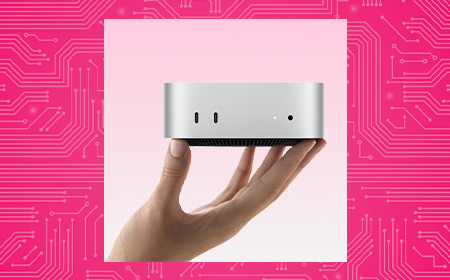
The hardware: Standard staff laptops supported by a fleet of Mac minis acting as “AI agent hubs”.
Why it works: The Mac mini is a silent, low-power background worker. In real-world enterprise rollouts, Apple reports that one customer cut three-year total cost of ownership by over half and energy consumption by 78% after migrating from cloud-based AI to local Mac minis.
Cloud reliance: Yes. Local hubs handle daily sorting securely behind your firewall, tapping the cloud only for heavy, cross-archive analysis.
How can we help?
Set up a 15-minute call with a HardSoft AI expert to find a leasing plan that works for you.
AI FAQs
Is running AI locally actually as good as using the cloud? For what your team does day-to-day, yes. In fact, running open-weight models (like Phi-4 or Llama 3.1 8B) locally is often much faster because you bypass internet delays and busy cloud servers.
What about data security? This is the single biggest win for small firms. When you run AI right on your own devices, data never leaves the machine. What stays on your computer cannot be leaked.
Isn’t the upfront cost of AI hardware too high for a small budget? It is a large upfront CapEx if you buy out of the box. That is why many businesses choose to lease.


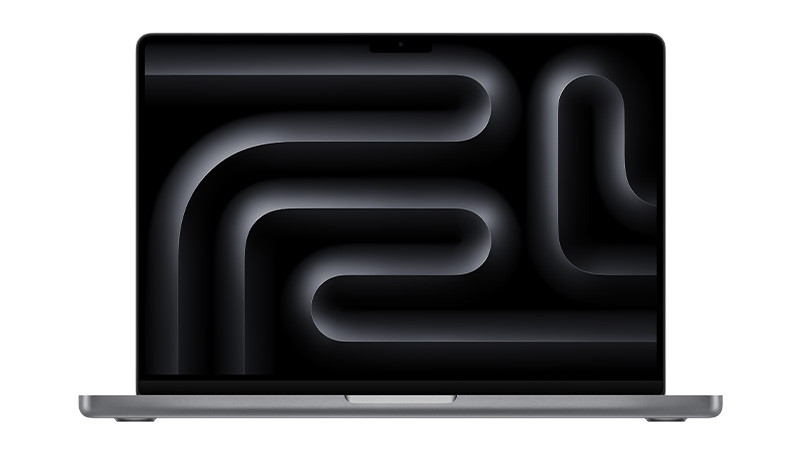
 Chip M5Memory 16GBStorage 1TBPrice per week £10.64See product
 Chip M5 PROMemory 64GBStorage 4TBPrice per week £27.67See product
 Chip M5 PROMemory 24GBStorage 1TBPrice per week £15.96See product
 Chip M5 MAXMemory 128GBStorage 4TBPrice per week £43.90See product