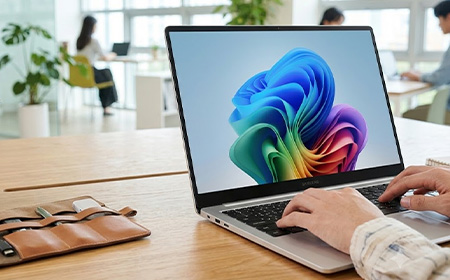

Samsung Galaxy Book6 Compared for Business: Book6 vs Book6 Pro vs Book6 Ultra
This guide compares the three Intel-powered Galaxy Book6 models — the Book6, Book6 Pro and Book6 Ultra — and helps you work out which one is right for your team.

Quick Summary
Samsung has become one of the most interesting Windows laptop brands for business, and the Galaxy Book6 range highlights why.
All three models share a processor generation but differ in screen, ports and headroom: the standard Book6 pairs an IPS panel with 16GB of RAM you can’t upgrade after purchase, the Pro doubles that ceiling to 32GB and adds Wi-Fi 7 and single-cable Thunderbolt 4 docking, and the Ultra adds an RTX GPU for teams requiring dedicated graphics (video, design and 3D work.)
Our pick: the Samsung Galaxy Book6 Pro 14” is the right device for most business teams. Enjoy a 1,000-nit AMOLED touchscreen and 30-hour battery at 1.24kg — leasing from £10.53 per week with a free dock!
What All Three Galaxy Book6 Models Share
Every Galaxy Book6 runs Intel’s latest Core Ultra (Series 3) “Panther Lake” silicon, with an NPU fast enough to qualify all three as Copilot+ PCs — 49 TOPS on the Book6, 50 TOPS on the Pro and Ultra.
On-device AI features run locally rather than sending your data off to the cloud. If your team handles sensitive information, that’s reassuring.
They also share the same dependable basics: a solid aluminium body, a comfortable full-size keyboard, a sharp webcam for video calls, and a fingerprint reader to log in. Plus, multi control lets you work across your phone and tablet from one keyboard.
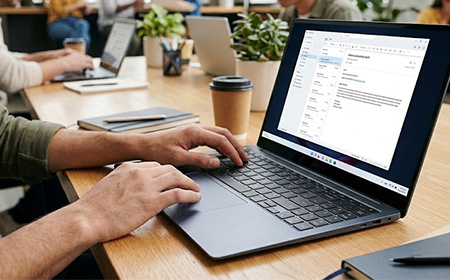
Samsung Galaxy Book6: The Everyday Workhorse
Best for: admin, reception, field staff — anyone living in Outlook, Teams and a browser.
Processor: Intel Core Ultra 5 325 or Ultra 7 355, with 16GB RAM, a 512GB or 1TB SSD and Intel integrated graphics.
Display: a 14″ or 16″ anti-glare display that’s bright and easy on the eyes in an office. It’s a standard LCD, though — not the richer, more colourful AMOLED screen you get on the Pro.
Ports: 2× USB-C, 2× USB-A, HDMI, microSD, combo jack, Kensington slot and Gigabit Ethernet — one up on the Pro. That RJ45 is worth having for fixed-desk staff or sites with patchy Wi-Fi. Wireless is Wi-Fi 6E, not Wi-Fi 7.
Battery: 24 hours on Samsung’s video playback test. At 14.9mm and 1.74kg, it’s the chunkiest of the three despite being the least powerful.
Trackpad: a mechanical clickpad rather than the Pro’s haptic pad — stiffer near the top edge, less consistent across the surface.
The catch: 16GB is the ceiling, and memory can’t be upgraded after purchase.
Lease from £11.04 per week for the 14″ or £11.80 per week for the 16″.
Samsung Galaxy Book6 Pro: The Business Pick
Best for: almost everyone. Managers, consultants, developers, sales, finance, hybrid workers.
Processor: Intel Core Ultra 7 356H or Ultra X7 358H with Intel Arc graphics, 16GB or 32GB LPDDR5X RAM and a fast PCIe SSD. Samsung quotes 60% more CPU and 70% more GPU power than the last generation — enough for large datasets, heavy multitasking and light video work, without paying workstation prices.
Display: A 14″ or 16″ AMOLED touchscreen — the same bright, punchy screen technology Samsung puts in its top phones. It’s sharp, colourful and glare-resistant, so it stays clear and readable on a train, in a sunny meeting room, or out at a client’s office.
Battery: 30 hours on Samsung’s video playback test. It’s light too — the 16″ is 11.9mm and 1.59kg, the 14″ 11.6mm and 1.24kg.
Cooling & trackpad: it runs cooler and quieter than the standard Book6, so the fan stays quiet on calls, and the trackpad is the smooth, pressure-sensitive kind that clicks evenly wherever you press.
Ports: 2× Thunderbolt 4, USB-A 3.2, HDMI 2.1, a card reader and a combo jack, plus Wi-Fi 7 and Bluetooth 5.4. HDMI 2.1 drives 8K at 60Hz or 5K at 120Hz, so one cable handles most meeting-room displays without an adapter — and Thunderbolt 4 carries displays, data, network and power to a dock over a single connection.
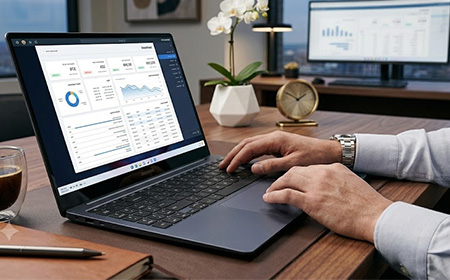
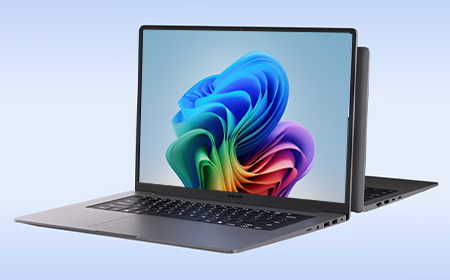
Samsung Galaxy Book6 Pro: 14-inch or 16-inch?
Both share the same processors, RAM options, AMOLED resolution and ports — so the choice is about how your people work.
Pick the 14″ for anyone on the move. At 1.24kg it’s the lighter travel machine, its battery stretches furthest, it’s cheaper to lease — and it comes with the free i-tec dock, so it turns into a full desk setup the moment it’s back at base.
Pick the 16″ for desk-based staff who value screen space. The larger panel suits spreadsheets, side-by-side windows and long document work, and it steps up to quad speakers (the 14″ runs dual) for clearer conference calls.
Lease from £10.53 per week for the 14″ or £14.56 per week for the 16″.
Samsung Galaxy Book6 Ultra: The Specialist
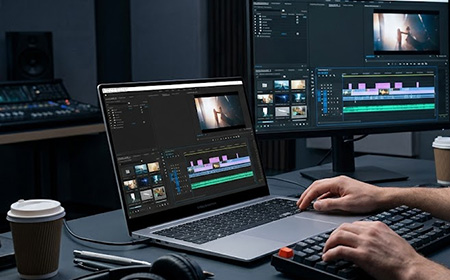
Best for: video editors, 3D and CAD users, data scientists, developers compiling large builds.
Processor & graphics: everything the Pro has, plus a powerful dedicated NVIDIA graphics card — the sort video editors and 3D designers rely on — with 32GB of memory and a 1TB drive as standard, on a 16″ AMOLED screen.
Cooling & charging: beefed-up cooling to handle the extra power, better speakers, and the fastest charging in the range — around 65% in half an hour.
Ports: the same as the Pro, with one addition — a full-size SD card slot that photographers and videographers will use every day.
Weight: still slim, but heavier at 1.89kg because of that RTX GPU. An Intel Arc variant drops that to 1.79kg.
The catch: unless your team genuinely edits 4K video, renders 3D or runs heavy AI work, that expensive graphics card mostly sits there unused. Ideal for a handful of specialists; overkill for a whole team.
At a Glance
| Galaxy Book6 | Galaxy Book6 Pro | Galaxy Book6 Ultra | |
|---|---|---|---|
| Processor | Core Ultra 5 325 / Ultra 7 355 | Core Ultra 7 356H / X7 358H | Core Ultra 7 356H / X7 358H |
| Graphics | Intel Graphics | Intel Arc Graphics | NVIDIA RTX 5060 / 5070 (8GB) |
| Display | 14″/16″ IPS FHD+ anti-glare | 14″/16″ AMOLED 2X touch, WQXGA+ | 16″ AMOLED 2X touch, WQXGA+ |
| Refresh rate | Up to 120Hz | Adaptive 30–120Hz | Adaptive 30–120Hz |
| Memory | 16GB | 16GB / 32GB | 32GB |
| Storage | 512GB / 1TB SSD | 512GB / 1TB SSD | 1TB SSD |
| NPU | 49 TOPS | 50 TOPS | 50 TOPS |
| Ports | 2× USB-C, 2× USB-A, HDMI, microSD, Ethernet, combo jack, lock slot | 2× Thunderbolt 4, USB-A 3.2, HDMI 2.1, card reader, combo jack | 2× Thunderbolt 4, USB-A, HDMI 2.1, full-size SD (UHS-II), combo jack |
| Wireless | Wi-Fi 6E, BT 5.4 | Wi-Fi 7, BT 5.4 | Wi-Fi 7, BT 5.4 |
| Battery | Up to 24 hrs | Up to 30 hrs | Up to 30 hrs |
| Weight (16″) | 1.74kg | 1.59kg | 1.89kg |
| Best for | Everyday productivity | Professional teams | Creative & technical specialists |
| Leasing from | £11.04/week | £10.53/week | £25.51/week |
Why Lease Rather Than Buy?
Buying a fleet of Galaxy Book6 Pros outright is a five-figure capital hit before you’ve even configured a single device. Leasing turns that into a predictable weekly operating cost with no upfront outlay, and lease payments are typically fully tax-deductible — unlike a purchase, where you’re working through capital allowances.
It also solves the awkward question of what to do with ageing kit. Buy it, and it’s yours to deal with for years. Lease it, and there’s a clean way out at the end:
- Flexi-Lease — our most popular option. Switch devices, cancel, or own the kit for £1 at the end of term (from just 12 months).
- Pure Rental — around 30% cheaper. Switch, cancel, or return and refresh onto new hardware at expiry (after 3 or 5 years).
- Devices for Teams — our most flexible option for 50+ users, ideal for fast-growing teams with headcount changes.
Every lease includes lifetime Silver Support with a loan device if one fails, plus Gold and Platinum plans for faster response. Add SafeGuard Protection, Microsoft 365 Business Premium from £5.55/week, Shepherd MDM, Boomerang for device lifecycle management, or carbon offsetting from £1.15/week — and earn Rewards points throughout.
The Verdict
For most UK businesses, the Galaxy Book6 Pro is the right device. Professional performance, an outstanding display, Thunderbolt 4 and Wi-Fi 7, all-day battery and Windows 11 Pro security — in a machine light enough that people can work on the go. With the free dock on the 14″, it’s a complete desk-and-travel setup for £10.53 a week per user.
Ready to talk numbers? Build your lease solution online, or get in touch — we’ll spec a fleet around how your team works.