MacBook Air Buying Guide: Lightweight Power for Everyday Work
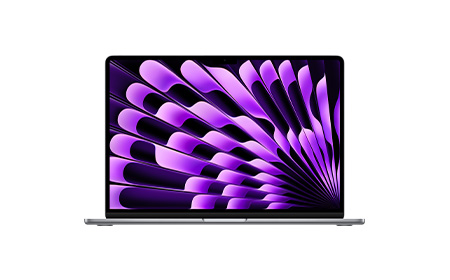
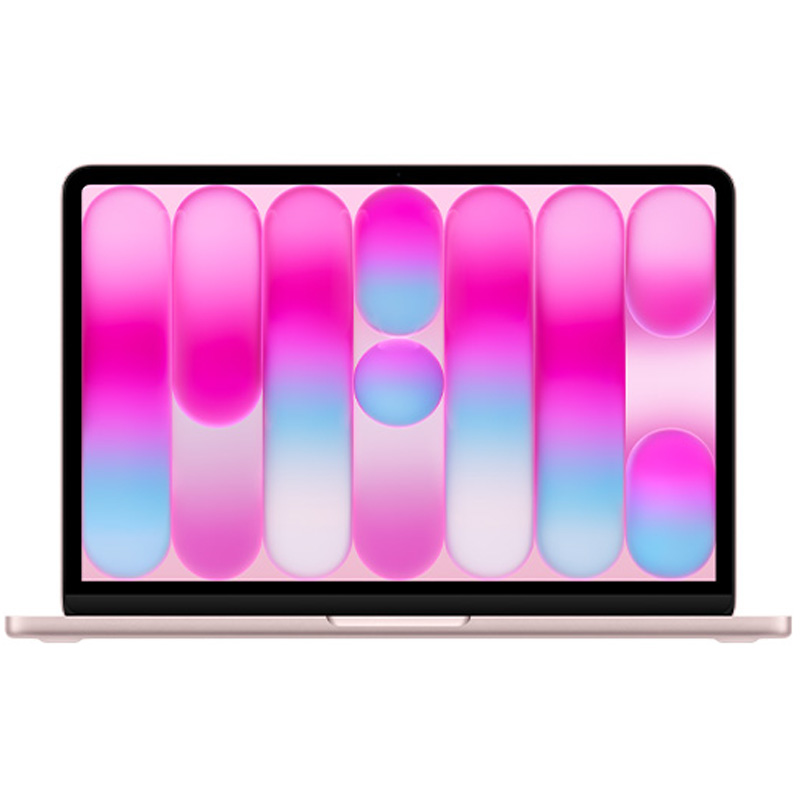
MacBook Air is generally better for professionals who want the benefits of the Apple ecosystem, but don’t need a laptop as high-powered as the MacBook Pro.
Now powered by M5. The latest MacBook Air 13″ and 15″ models now feature Apple’s M5 chip, offering a 10‑core CPU and up to a 10‑core GPU with Neural Accelerators in each core, delivering up to 4× faster AI performance than the previous M4 generation.
Good spec upgrades. With the move to M5, base configurations now start at 16GB unified memory and 512GB SSD, double the previous generation. Both the 13″ and 15″ models can be configured up to 32GB RAM and 4TB SSD, with SSD performance now 2× faster than before.
Smaller and lighter. The 13″ MacBook Air remains Apple’s smallest and lightest laptop, weighing just 1.23 kg, retaining the ultra‑portable design and fanless architecture the Air is known for.
Better connectivity. The M5 generation introduces Apple’s N1 wireless chip, adding support for Wi‑Fi 7 and Bluetooth 6, bringing faster and more reliable wireless performance compared to the M4 models.
Long battery life. Despite its increased performance, the new MacBook Air still delivers up to 18 hours of battery life, with up to 15 hours of wireless web use — making it a strong all‑day laptop for work or study.
Great for on‑the‑go professionals. With stronger performance, modern connectivity, long battery life, and a lightweight build, the M5 MacBook Air is ideal for students, frequent travellers, hybrid workers, and anyone who needs fast, silent, portable computing.
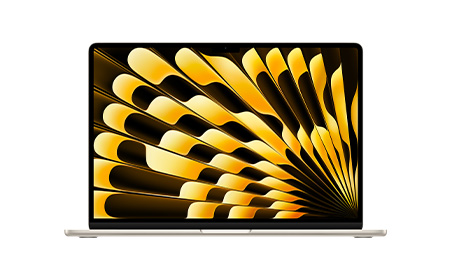
Now powered by M5. The latest MacBook Air 15″ features Apple’s M5 chip, bringing a 10‑core CPU and up to a 10‑core GPU with Neural Accelerators in each core, delivering significantly faster performance and up to 4× faster AI workflows than the previous generation.
Good spec upgrades. MacBook Air 15″ now starts with 16GB unified memory and 512GB SSD as standard, with upgrade options up to 32GB RAM and 4TB SSD, plus 2× faster SSD performance than the M4 generation.
Bigger and slightly heavier. The 15″ MacBook Air remains the larger of the two Air models, weighing 1.51 kg, while still retaining Apple’s slim, fanless design and quiet operation.
Larger, brighter display. With its 15.3‑inch Liquid Retina display at 500 nits brightness, the 15″ Air offers more screen space for multitasking, creative work, and video viewing — ideal for users who prefer a bigger workspace.
Long battery life. Despite the larger display, the 15″ M5 model still delivers up to 18 hours of video playback and around 15 hours of wireless web, maintaining strong all‑day performance.
Great for everyday multitaskers. The MacBook Air 15″ is the ideal choice for users who want a bigger screen, silent performance, modern connectivity, and long battery life — perfect for students, business users, and professionals who prefer a more spacious display without moving to a MacBook Pro.
Fast everyday performance with M5 chip (10-core CPU, up to 10-core GPU)
Up to 32GB unified memory
Up to 4TB SSD
Up to 18 hours video / 15 hours web
1.23kg (smallest & lightest)
Students, travellers, everyday productivity
MacBook Air 15" (M5)
Same fast M5 performance, just with a bigger screen (15.3")
Up to 32GB unified memory
Up to 4TB SSD
Up to 18 hours video / 15 hours web
1.51kg (larger & slightly heavier)
Multitaskers, bigger-screen lovers, light creative work
MacBook Air in Summary
Apple’s MacBook Air range is designed to meet the needs of on-the-go professionals. With their lightweight design and efficient M5 chips, it really just comes down to screen size preference when picking between the MacBook Air 13″ and MacBook Air 15″.
Choose between M5, M5 Pro or M5 Max chips. The 14″ MacBook Pro is now available with all three M5 chips: M5, M5 Pro, and M5 Max, giving users the full performance range in this size.
Go Space Black. All M5‑based 14″ MacBook Pro models are available in Space Black as well as Silver, continuing the colour expansion Apple introduced with the previous generation.
High‑performance upgrades. MacBook Pro 14″ can be configured to very high specifications, with M5 Max models offering up to an 18‑core CPU, 40‑core GPU, 128GB unified memory, and up to 8TB SSD. M5 Pro models also offer large memory configurations with high bandwidth thanks to Apple’s new Fusion Architecture.
Lower‑spec M5 option. Unlike the 16″ version, the 14″ MacBook Pro also includes a lower‑tier M5 configuration, featuring a 10‑core CPU, up to a 10‑core GPU, 16GB unified memory, and 512GB SSD. This provides a more accessible entry point into the Pro lineup.
Smaller, lighter option. The 14″ chassis remains the lighter of the two MacBook Pro sizes.
Battery life. Battery performance on the M5 14″ MacBook Pro remains strong. Apple reports up to 22- 24 hours of use depending on the chip tier and task type.
Choose between M5 Pro or M5 Max chips. The 16″ MacBook Pro is now available with M5 Pro and M5 Max chips only, just like the previous generation.
Go Space Black. All 16″ MacBook Pro models come in Space Black as well as Silver, matching the colour options of the 14″ models and continuing Apple’s premium finish across the M5 lineup.
High‑performance upgrades. MacBook Pro 16″ can be configured with the full performance capabilities of M5 Pro and M5 Max chips, including up to an 18‑core CPU, 40‑core GPU, 128GB unified memory, and up to 8TB SSD, identical to the top‑end configurations of the 14″ model.
Bigger, heavier option. The 16″ MacBook Pro remains the larger and heavier choice, with weight varying slightly depending on the chip tier and thermal architecture. M5 Pro and M5 Max models weigh noticeably more than their 14″ counterparts.
Battery life. Battery life on the 16″ MacBook Pro remains excellent, with up to 22-24 hours depending on usage and configuration. M5 Max systems typically offer slightly shorter runtimes due to the higher‑performance GPU architecture.
Users needing long battery life + sustained performance
16" with M5 Max
M5 Max
Maximum CPU & GPU performance
Up to 128GB
Up to 8TB
Slightly shorter than M5 Pro
Heavy AI/ML, simulations, ultra-pro workloads
MacBook Pro in Summary
MacBook Pro is Apple’s premium range of laptops, designed for creative professionals and those with heavy data intensive workloads.
When it comes to choosing between MacBook Pro 14″ and MacBook Pro 16″, it’s worth noting what kind of M5 chip you’re after, as options differ between each model (the standard M5 chip is only available on 14″ MacBook Pro, not the 16″).
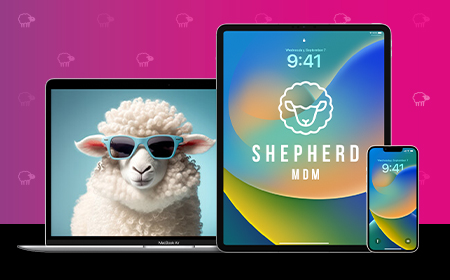
Shepherd MDM is HardSoft’s proprietary Mobile Device Management (MDM) solution, designed specifically for Apple devices and tailored to meet the needs of small to medium-sized businesses.
What Is Shepherd MDM?
Shepherd is a cloud-based MDM system that allows businesses to:
Shepherd MDM is a robust, affordable, and user-friendly solution for businesses managing Apple devices. Its seamless integration with Apple Business Manager and rich feature set make it an ideal choice for SMEs looking to enhance security, streamline operations, and future-proof their IT infrastructure.
For more detailed guidance, explore the full blog series linked throughout this guide.
Unlock the power of AI with flexible supercomputer and AI workstation leasing. Featuring NVIDIA-powered systems, AI-ready PCs, Copilot+ devices and Apple Intelligence technology, these high-performance solutions are built for machine learning, advanced analytics, local AI models and demanding professional workloads. Benefit from powerful GPUs, high-speed memory, enterprise security and predictable monthly payments without the cost of traditional infrastructure.
Run AI locally with faster performance and lower costs.
Get the latest Apple, Windows, and premium devices with affordable monthly plans, full support, and upgrade options—designed to keep your business moving forward.
Navigating the world of technology can be overwhelming, with countless brands and options to consider.
Our buying guides are here to help you choose the perfect devices and solutions for your business.