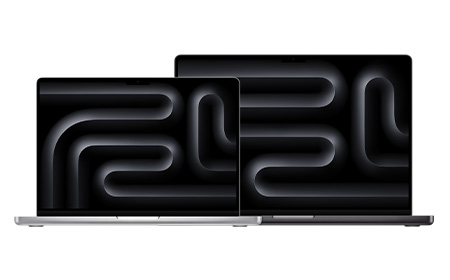
Explore the full range of Apple MacBooks for business, including MacBook Air, MacBook Pro, and MacBook Neo. Designed for performance and long‑term value, MacBooks are ideal for teams that need reliable devices with predictable running costs. Choose the right model with flexible monthly pricing, expert support, and full device lifecycle management — all from one trusted provider.
Which Apple MacBook offers the best value for money?
The MacBook Air (M4) is the best all-round value, pairing strong everyday performance and all-day battery life with a lightweight design at a mid-range price. For more demanding workloads, the entry-level MacBook Pro (M4) offers better long-term value thanks to its greater performance headroom.
What is the cheapest Apple MacBook?
The MacBook Neo is Apple’s most affordable laptop starting from £699 (or available to lease from £3.72 + VAT per week with HardSoft). It uses the A18 Pro chip, a 13-inch Liquid Retina display and comes in four colours, making it ideal for students, light office use or as a secondary device.
What is Apple's M-Series chips, and why are they important?
Apple’s M-series chips are the processors used in modern MacBooks. Unlike previous MacBook processors supplied by Intel, M-series chips are designed by Apple and combine several components, including the CPU, GPU, and memory architecture, into a single system. This design helps improve performance and power efficiency across the MacBook range.
How to transfer data from an old MacBook to a New MacBook?
The simplest method is Apple’s built-in Migration Assistant, which transfers your files and apps directly to your new MacBook without deleting anything from the old one or overwriting macOS. For the best results, use it during initial setup process and, where possible, connect the two Macs with a Thunderbolt cable to speed up large transfers. Further guidance is available in our MacBook data transfer guide.
What support is available when switching from Windows to Mac?
When switching from Windows to Mac, HardSoft offers a range of migration and setup support options. For example, customers purchasing a new Apple MacBook Pro (14″ or 16″) can take advantage of a free one-to-one Mac Migration with a Dedicated Apple Expert.
The MacBook Neo delivers lightweight portability with fast A18 performance, making it ideal for hybrid and mobile workforces. Its bright Retina display, all-day battery life, and built-in security give businesses a reliable, high-performance device for everyday creative, analytical, and collaborative tasks – wherever work happens. With 256GB or 512GB storage options, and a bundle of 5 available for teams, it's an affordable way to equip your workforce without comprising on reliability.
Fast M5 performance for everyday creative, analytical, and collaborative workloads
The MacBook Neo offers a lower-cost entry point into Apple’s business hardware lineup. However, its capped RAM options and absence of certain higher-end features, such as additional ports, may make it less suitable for some roles. Read our full guide where we break down exactly which teams it suits and when you’re better off stepping up to the MacBook Air.
Why is the Apple MacBook Neo cheaper than other MacBook models?
The MacBook Neo uses the A18 Pro chip – originally designed for iPhones – rather than a Mac-specific M-series chip and drops features like MagSafe charging and Thunderbolt ports to hit its £699 starting price. It still runs full macOS and supports Apple Intelligence, making it a genuine budget Mac rather than a stripped-down alternative.
Does the Apple MacBook Neo support Apple Intelligence?
Yes, the MacBook Neo is built for Apple Intelligence and ships with it enabled out of the box, despite its lower price point.
Does the Apple MacBook Neo have touch ID?
Touch ID is included with most MacBook Neo configurations, though the entry-level base model omits it. Buyers who want fingerprint sign-in should check the specific configurations before ordering.
What ports are available on the Apple MacBook Neo?
The MacBook Neo features two USB-C ports rather than Thunderbolt. One supports USB 3 speeds of up to 10Gb/s and doubles as the display output, while the other is limited to USB 2 speeds of up to 480Mb/s and is best used to charging or low-speed accessories. It also includes a 3.5mm headphone jack, but lacks a MagSafe charging port.
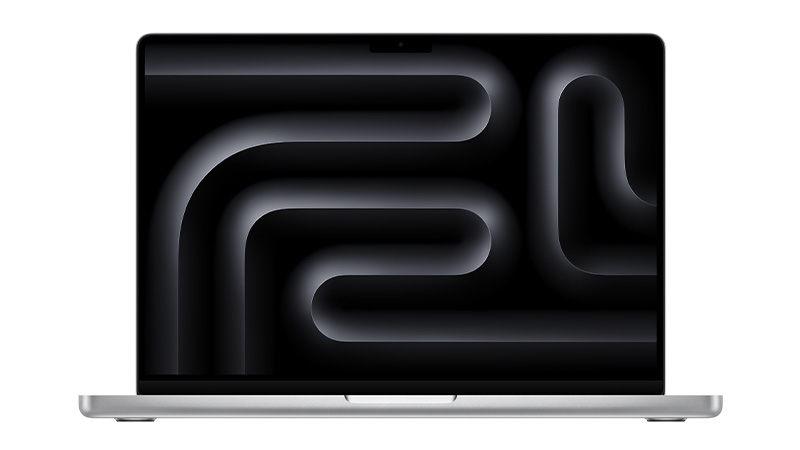
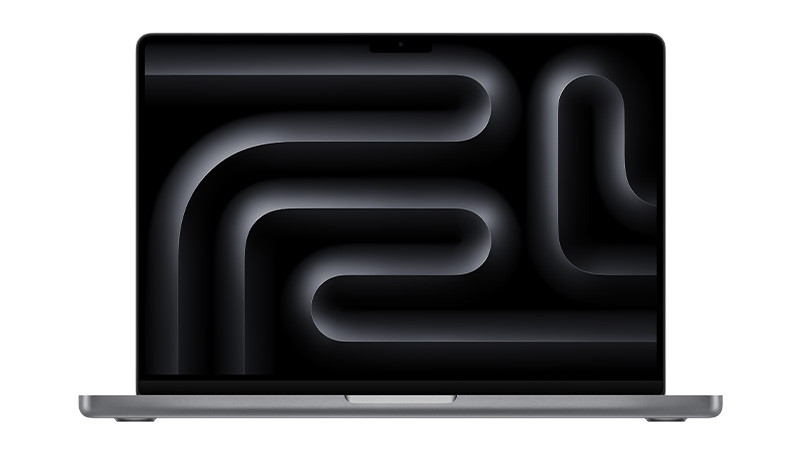
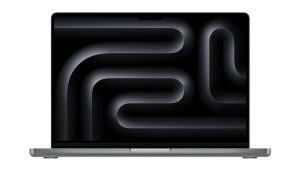
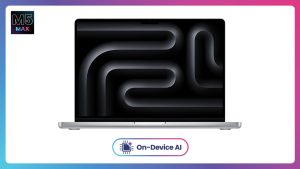
Designed for professionals who need serious performance, the Apple MacBook Pro range features 14-inch M5 and M5 Pro models alongside the powerful AI Apple MacBook Pro 16-inch with M5 Max, 128GB RAM and 4TB SSD storage. With Apple Intelligence support, a Liquid Retina XDR display, all-day battery life and enterprise-grade security, MacBook Pro is built for demanding creative, analytical and technical workloads.
Pair with Shepherd MDM for simplified deployment, management and security across your Apple devices.
High‑performance M5 power built for demanding business workflows
Yes, for users who need serious processing power for tasks like video editing and software development, the MacBook Pro’s faster chips, brighter display and longer battery life justify the higher price. Casual or everyday users may find a MacBook Air or MacBook Neo more cost-effective.
Do Older MacBook Pro Models Still Offer Good Value?
Older MacBook Pro models (M1-M3) still perform well for everyday business tasks and can offer excellent value, especially refurbished. However, buyers should check remaining software update support and battery health before making a purchase.
Why is an Apple MacBook Air cheaper than a MacBook Pro?
The Air is built for everyday portability: light, silent, no fan, because typical use never generates enough heat to need one. The Pro exists for sustained heavy workloads like video rendering or compiling, where active cooling, stronger chips, and better displays let it keep performing under pressure instead of throttling.
What is the lifespan of an Apple MacBook Pro?
A MacBook Pro typically lasts 5-7 years with regular use, supported by Apple’s long-term software updates. Battery health and storage needs are usually the first factors to prompt an upgrade rather than outright failure.
Who is the Apple MacBook Pro Best Suited For?
The MacBook Pro suits professionals with demanding workloads – developers, designers, video editors and data analysts – who need sustained high performance. It’s less necessary for users whose day-to-day work is primarily focused on administrative tasks.
Apple MacBook Neo: Apple Performance at a Lower Monthly Cost
Apple’s most affordable laptop in over a decade — the MacBook Neo — is designed to make Mac ownership more accessible than ever before. This guide breaks down what the Neo offers, who it’s perfect for, who it isn’t right for, and how it compares to older MacBook Air models.
The MacBook Neo is Apple’s new entry‑level MacBook, powered by the A18 Pro chip, the same generation of silicon used in the iPhone 16 series.
The Neo features a 13-inch Liquid Retina display with 500 nits brightness and support for one billion colours — making it vibrant enough for study, shopping, streaming and casual creative work.
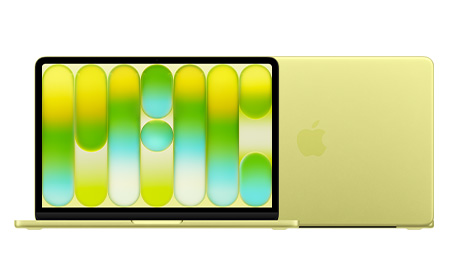
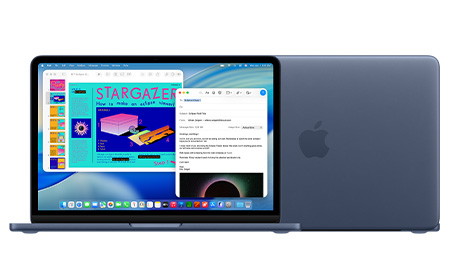
The machine comes in four colours, Silver, Blush, Citrus and Indigo, giving it the most playful and consumer-friendly aesthetic in Apple’s lineup.
Specs & Features
A18 Pro Chip. The A18 Pro offers a 6‑core CPU, 5‑core GPU and a 16‑core Neural Engine, giving the Neo enough power for email, schoolwork, office apps, browsing, video calls, streaming and light creative tasks. It also supports Apple Intelligence features.
8GB RAM (Fixed) & 256GB/512GB SSD. The Neo comes with 8GB unified memory and either 256GB or 512GB SSD, with Touch ID available only on the 512GB model. It’s ideal for students and everyday users, though not suited to heavy multitasking or pro workflows.
Strong Battery Life. The Neo delivers up to 16 hours of video playback, allowing all‑day working or studying without needing the charger.
Lightweight With a Premium Aluminium Build. At 2.7 pounds (1.23kg), the Neo weighs the same as a 13-inch MacBook Air and keeps Apple’s signature durable aluminium chassis.
Connectivity. The MacBook Neo includes two USB‑C ports (one USB 3 and one USB 2), plus a headphone jack.
The MacBook Neo is the most accessible way to enter the Mac ecosystem, combining a colourful design, excellent battery life and capable everyday performance — all at a breakthrough price. It’s not a replacement for the MacBook Air or Pro if you need serious power, but for students and everyday users, it delivers outstanding value.
MacBook Air Buying Guide: Lightweight Power for Everyday Work
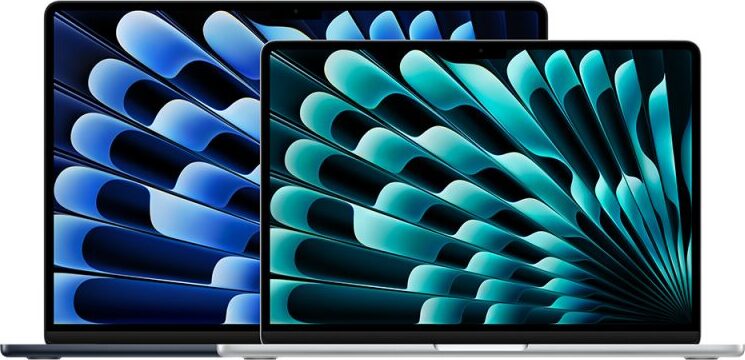
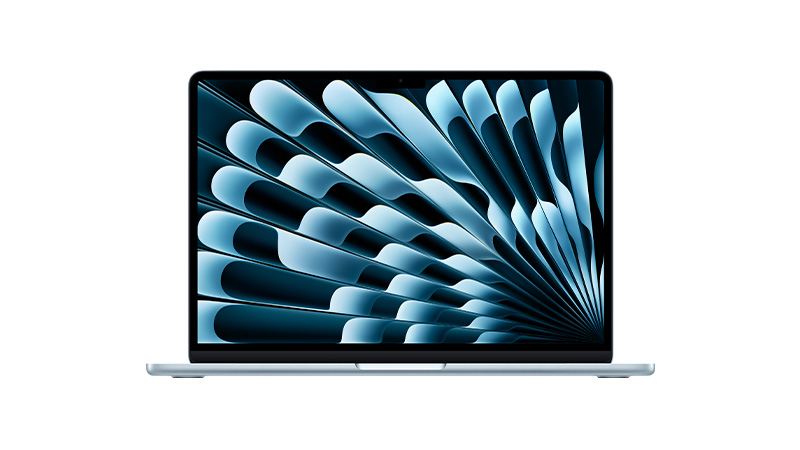
MacBook Air is generally better for professionals who want the benefits of the Apple ecosystem, but don’t need a laptop as high-powered as the MacBook Pro.
Now powered by M5. The latest MacBook Air 13″ and 15″ models now feature Apple’s M5 chip, offering a 10‑core CPU and up to a 10‑core GPU with Neural Accelerators in each core, delivering up to 4× faster AI performance than the previous M4 generation.
Good spec upgrades. With the move to M5, base configurations now start at 16GB unified memory and 512GB SSD, double the previous generation. Both the 13″ and 15″ models can be configured up to 32GB RAM and 4TB SSD, with SSD performance now 2× faster than before.
Smaller and lighter. The 13″ MacBook Air remains Apple’s smallest and lightest laptop, weighing just 1.23 kg, retaining the ultra‑portable design and fanless architecture the Air is known for.
Better connectivity. The M5 generation introduces Apple’s N1 wireless chip, adding support for Wi‑Fi 7 and Bluetooth 6, bringing faster and more reliable wireless performance compared to the M4 models.
Long battery life. Despite its increased performance, the new MacBook Air still delivers up to 18 hours of battery life, with up to 15 hours of wireless web use — making it a strong all‑day laptop for work or study.
Great for on‑the‑go professionals. With stronger performance, modern connectivity, long battery life, and a lightweight build, the M5 MacBook Air is ideal for students, frequent travellers, hybrid workers, and anyone who needs fast, silent, portable computing.
Now powered by M5. The latest MacBook Air 15″ features Apple’s M5 chip, bringing a 10‑core CPU and up to a 10‑core GPU with Neural Accelerators in each core, delivering significantly faster performance and up to 4× faster AI workflows than the previous generation.
Good spec upgrades. MacBook Air 15″ now starts with 16GB unified memory and 512GB SSD as standard, with upgrade options up to 32GB RAM and 4TB SSD, plus 2× faster SSD performance than the M4 generation.
Bigger and slightly heavier. The 15″ MacBook Air remains the larger of the two Air models, weighing 1.51 kg, while still retaining Apple’s slim, fanless design and quiet operation.
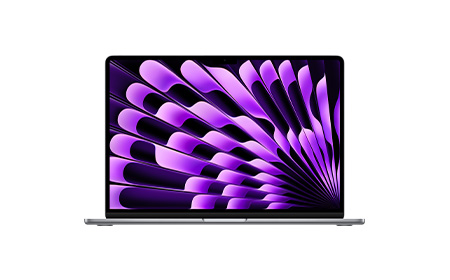
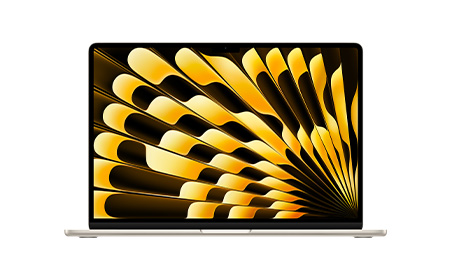
Larger, brighter display. With its 15.3‑inch Liquid Retina display at 500 nits brightness, the 15″ Air offers more screen space for multitasking, creative work, and video viewing — ideal for users who prefer a bigger workspace.
Long battery life. Despite the larger display, the 15″ M5 model still delivers up to 18 hours of video playback and around 15 hours of wireless web, maintaining strong all‑day performance.
Great for everyday multitaskers. The MacBook Air 15″ is the ideal choice for users who want a bigger screen, silent performance, modern connectivity, and long battery life — perfect for students, business users, and professionals who prefer a more spacious display without moving to a MacBook Pro.
Fast everyday performance with M5 chip (10-core CPU, up to 10-core GPU)
Up to 32GB unified memory
Up to 4TB SSD
Up to 18 hours video / 15 hours web
1.23kg (smallest & lightest)
Students, travellers, everyday productivity
MacBook Air 15" (M5)
Same fast M5 performance, just with a bigger screen (15.3")
Up to 32GB unified memory
Up to 4TB SSD
Up to 18 hours video / 15 hours web
1.51kg (larger & slightly heavier)
Multitaskers, bigger-screen lovers, light creative work
MacBook Air in Summary
Apple’s MacBook Air range is designed to meet the needs of on-the-go professionals. With their lightweight design and efficient M5 chips, it really just comes down to screen size preference when picking between the MacBook Air 13″ and MacBook Air 15″.
Choose between M5, M5 Pro or M5 Max chips. The 14″ MacBook Pro is now available with all three M5 chips: M5, M5 Pro, and M5 Max, giving users the full performance range in this size.
Go Space Black. All M5‑based 14″ MacBook Pro models are available in Space Black as well as Silver, continuing the colour expansion Apple introduced with the previous generation.
High‑performance upgrades. MacBook Pro 14″ can be configured to very high specifications, with M5 Max models offering up to an 18‑core CPU, 40‑core GPU, 128GB unified memory, and up to 8TB SSD. M5 Pro models also offer large memory configurations with high bandwidth thanks to Apple’s new Fusion Architecture.
Lower‑spec M5 option. Unlike the 16″ version, the 14″ MacBook Pro also includes a lower‑tier M5 configuration, featuring a 10‑core CPU, up to a 10‑core GPU, 16GB unified memory, and 512GB SSD. This provides a more accessible entry point into the Pro lineup.
Smaller, lighter option. The 14″ chassis remains the lighter of the two MacBook Pro sizes.
Battery life. Battery performance on the M5 14″ MacBook Pro remains strong. Apple reports up to 22- 24 hours of use depending on the chip tier and task type.
Choose between M5 Pro or M5 Max chips. The 16″ MacBook Pro is now available with M5 Pro and M5 Max chips only, just like the previous generation.
Go Space Black. All 16″ MacBook Pro models come in Space Black as well as Silver, matching the colour options of the 14″ models and continuing Apple’s premium finish across the M5 lineup.
High‑performance upgrades. MacBook Pro 16″ can be configured with the full performance capabilities of M5 Pro and M5 Max chips, including up to an 18‑core CPU, 40‑core GPU, 128GB unified memory, and up to 8TB SSD, identical to the top‑end configurations of the 14″ model.
Bigger, heavier option. The 16″ MacBook Pro remains the larger and heavier choice, with weight varying slightly depending on the chip tier and thermal architecture. M5 Pro and M5 Max models weigh noticeably more than their 14″ counterparts.
Battery life. Battery life on the 16″ MacBook Pro remains excellent, with up to 22-24 hours depending on usage and configuration. M5 Max systems typically offer slightly shorter runtimes due to the higher‑performance GPU architecture.
Users needing long battery life + sustained performance
16" with M5 Max
M5 Max
Maximum CPU & GPU performance
Up to 128GB
Up to 8TB
Slightly shorter than M5 Pro
Heavy AI/ML, simulations, ultra-pro workloads
MacBook Pro in Summary
MacBook Pro is Apple’s premium range of laptops, designed for creative professionals and those with heavy data intensive workloads.
When it comes to choosing between MacBook Pro 14″ and MacBook Pro 16″, it’s worth noting what kind of M5 chip you’re after, as options differ between each model (the standard M5 chip is only available on 14″ MacBook Pro, not the 16″).
Lighter and more portable. The MacBook Air remains Apple’s lightest, most portable laptop, available in both 13‑inch and 15‑inch sizes. It’s ideal for users who value portability above everything else.
Now powered by M5 chips. The new MacBook Air models are equipped with Apple’s M5 processor, featuring a 10‑core CPU and up to a 10‑core GPU with Neural Accelerators in each core. This delivers up to 4× faster AI performance compared to the M4 Air, along with stronger graphics and multitasking capabilities.
Considerable upgrades. Apple has doubled the base storage and RAM for the M5 Air. Models now start at 16GB unified memory and a 512GB SSD, with configurations available up to 32GB RAM and 4TB SSD. The SSD also delivers 2× faster read/write speeds than the previous generation.
Long battery life. Despite the performance boost, the M5 Air still delivers up to 18 hours of video playback and up to 15 hours of wireless web use, ideal for long working days without needing to plug in.
More affordable than it looks. While the starting price has increased to $1,099, the M5 Air now includes 16GB RAM and a 512GB SSD as standard, making it better value than the previous M4 generation, which required upgrades to reach similar specs.
Great for on‑the‑go professionals. With its silent fanless design, lightweight build, long battery life, and faster AI‑ready performance, the M5 MacBook Air is perfect for students, frequent travellers, hybrid workers, and professionals prioritising portability.
Larger screens. The MacBook Pro is available in 14‑inch and 16‑inch sizes, offering larger displays and more workspace than the MacBook Air.
M5, M5 Pro and M5 Max chips. The latest MacBook Pro models now use Apple’s M5 chip family, including M5 Pro and M5 Max, which deliver major gains in CPU and GPU performance, AI acceleration, and memory bandwidth compared to previous generations.
Increased upgrades. MacBook Pro supports far higher configurations than the Air, with options up to 128GB unified memory and up to 8TB SSD depending on the model.
Longer battery life. Battery performance remains strong, with the 14- and 16‑inch models lasting up to 16-22 hours.
Higher cost. Due to its enhanced performance, the MacBook Pro generally comes at a higher price compared to the MacBook Air.
Great for high-end creatives. MacBook Pro is ideal for creatives, developers, and professionals who need reliable, high‑spec performance for demanding tasks such as video editing, 3D rendering and software development.
Smaller 13-inch size. MacBook Neo comes in a single 13-inch form factor, offering a compact and lightweight design similar in footprint to the MacBook Air, but positioned as Apple’s most accessible laptop.
A18 Pro chip. Unlike the Air and Pro models, the MacBook Neo uses Apple’s A18 Pro chip — the same architecture used in the latest iPhone — delivering fast performance for everyday tasks, studying and light creative work, while keeping costs low.
More limited upgrades. To maintain its lower price point, MacBook Neo offers more modest upgrade options, with 8GB unified memory and 256GB or 512GB SSD configurations. Touch ID is only available on the 512GB model.
Long battery life. Despite its entry-level positioning, MacBook Neo provides up to 16 hours of battery life, making it highly capable for school, work, and travel.
Most affordable MacBook. Neo is Apple’s most affordable laptop ever, designed to compete directly with Chromebooks and entry-level Windows devices. A 512GB version with Touch ID is available for an increased price.
Great for students and first‑time Mac users.MacBook Neo is ideal for students, families, and new Mac owners who want a reliable Apple laptop for everyday work, studying, web browsing, and entertainment — all at a price far below the Air and Pro ranges.
Apple now offer three ranges of laptop: the MacBook Air, MacBook Pro, and the new MacBook Neo.
MacBook Pro models come in 14″ and 16″ sizes and remain the best choice for creative professionals and users with demanding, data‑intensive workloads, thanks to the power of the M5, M5 Pro and M5 Max chips.
MacBook Air is available in 13″ and 15″ sizes and is ideal for on‑the‑go professionals and everyday use, now offering the M5 chip, long battery life, and a lightweight, portable design.
MacBook Neo sits below the Air as Apple’s most affordable laptop, featuring a 13″ display and the A18 Pro chip. It’s designed for students, families, and first‑time Mac users who need a reliable everyday laptop at a much lower price point.