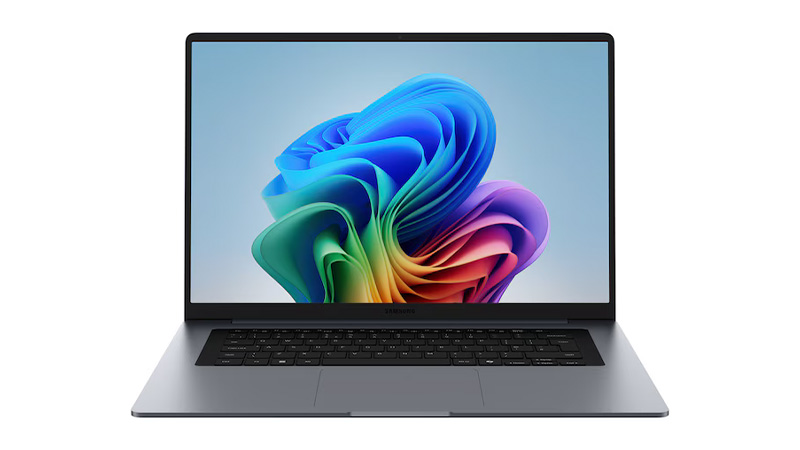
Samsung Galaxy Book6 – 14″


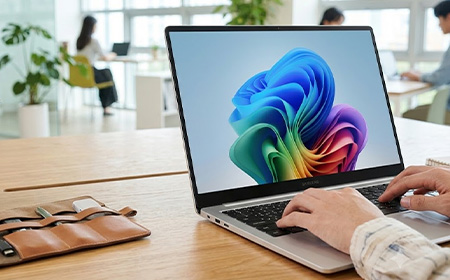

This guide compares the three Intel-powered Galaxy Book6 models — the Book6, Book6 Pro and Book6 Ultra — and helps you work out which one is right for your team.

Samsung has become one of the most interesting Windows laptop brands for business, and the Galaxy Book6 range highlights why.
All three models share a processor generation but differ in screen, ports and headroom: the standard Book6 pairs an IPS panel with 16GB of RAM you can’t upgrade after purchase, the Pro doubles that ceiling to 32GB and adds Wi-Fi 7 and single-cable Thunderbolt 4 docking, and the Ultra adds an RTX GPU for teams requiring dedicated graphics (video, design and 3D work.)
Our pick: the Samsung Galaxy Book6 Pro 14” is the right device for most business teams. Enjoy a 1,000-nit AMOLED touchscreen and 30-hour battery at 1.24kg — leasing from £10.53 per week with a free dock!
Every Galaxy Book6 runs Intel’s latest Core Ultra (Series 3) “Panther Lake” silicon, with an NPU fast enough to qualify all three as Copilot+ PCs — 49 TOPS on the Book6, 50 TOPS on the Pro and Ultra.
On-device AI features run locally rather than sending your data off to the cloud. If your team handles sensitive information, that’s reassuring.
They also share the same dependable basics: a solid aluminium body, a comfortable full-size keyboard, a sharp webcam for video calls, and a fingerprint reader to log in. Plus, multi control lets you work across your phone and tablet from one keyboard.
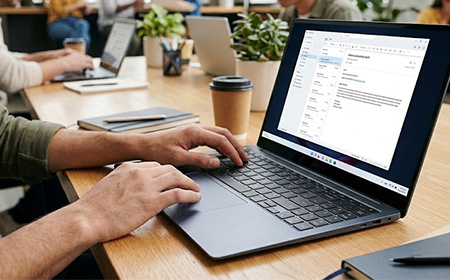
Best for: admin, reception, field staff — anyone living in Outlook, Teams and a browser.
Processor: Intel Core Ultra 5 325 or Ultra 7 355, with 16GB RAM, a 512GB or 1TB SSD and Intel integrated graphics.
Display: a 14″ or 16″ anti-glare display that’s bright and easy on the eyes in an office. It’s a standard LCD, though — not the richer, more colourful AMOLED screen you get on the Pro.
Ports: 2× USB-C, 2× USB-A, HDMI, microSD, combo jack, Kensington slot and Gigabit Ethernet — one up on the Pro. That RJ45 is worth having for fixed-desk staff or sites with patchy Wi-Fi. Wireless is Wi-Fi 6E, not Wi-Fi 7.
Battery: 24 hours on Samsung’s video playback test. At 14.9mm and 1.74kg, it’s the chunkiest of the three despite being the least powerful.
Trackpad: a mechanical clickpad rather than the Pro’s haptic pad — stiffer near the top edge, less consistent across the surface.
The catch: 16GB is the ceiling, and memory can’t be upgraded after purchase.
Lease from £11.04 per week for the 14″ or £11.80 per week for the 16″.
Best for: almost everyone. Managers, consultants, developers, sales, finance, hybrid workers.
Processor: Intel Core Ultra 7 356H or Ultra X7 358H with Intel Arc graphics, 16GB or 32GB LPDDR5X RAM and a fast PCIe SSD. Samsung quotes 60% more CPU and 70% more GPU power than the last generation — enough for large datasets, heavy multitasking and light video work, without paying workstation prices.
Display: A 14″ or 16″ AMOLED touchscreen — the same bright, punchy screen technology Samsung puts in its top phones. It’s sharp, colourful and glare-resistant, so it stays clear and readable on a train, in a sunny meeting room, or out at a client’s office.
Battery: 30 hours on Samsung’s video playback test. It’s light too — the 16″ is 11.9mm and 1.59kg, the 14″ 11.6mm and 1.24kg.
Cooling & trackpad: it runs cooler and quieter than the standard Book6, so the fan stays quiet on calls, and the trackpad is the smooth, pressure-sensitive kind that clicks evenly wherever you press.
Ports: 2× Thunderbolt 4, USB-A 3.2, HDMI 2.1, a card reader and a combo jack, plus Wi-Fi 7 and Bluetooth 5.4. HDMI 2.1 drives 8K at 60Hz or 5K at 120Hz, so one cable handles most meeting-room displays without an adapter — and Thunderbolt 4 carries displays, data, network and power to a dock over a single connection.
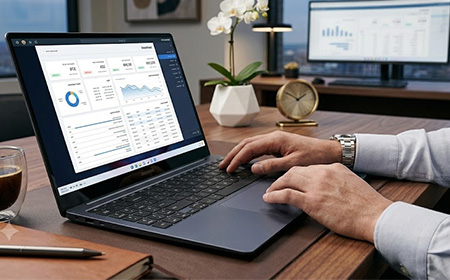
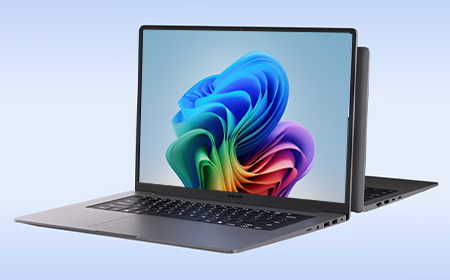
Both share the same processors, RAM options, AMOLED resolution and ports — so the choice is about how your people work.
Pick the 14″ for anyone on the move. At 1.24kg it’s the lighter travel machine, its battery stretches furthest, it’s cheaper to lease — and it comes with the free i-tec dock, so it turns into a full desk setup the moment it’s back at base.
Pick the 16″ for desk-based staff who value screen space. The larger panel suits spreadsheets, side-by-side windows and long document work, and it steps up to quad speakers (the 14″ runs dual) for clearer conference calls.
Lease from £10.53 per week for the 14″ or £14.56 per week for the 16″.
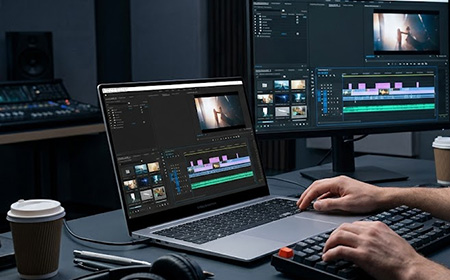
Best for: video editors, 3D and CAD users, data scientists, developers compiling large builds.
Processor & graphics: everything the Pro has, plus a powerful dedicated NVIDIA graphics card — the sort video editors and 3D designers rely on — with 32GB of memory and a 1TB drive as standard, on a 16″ AMOLED screen.
Cooling & charging: beefed-up cooling to handle the extra power, better speakers, and the fastest charging in the range — around 65% in half an hour.
Ports: the same as the Pro, with one addition — a full-size SD card slot that photographers and videographers will use every day.
Weight: still slim, but heavier at 1.89kg because of that RTX GPU. An Intel Arc variant drops that to 1.79kg.
The catch: unless your team genuinely edits 4K video, renders 3D or runs heavy AI work, that expensive graphics card mostly sits there unused. Ideal for a handful of specialists; overkill for a whole team.
| Galaxy Book6 | Galaxy Book6 Pro | Galaxy Book6 Ultra | |
|---|---|---|---|
| Processor | Core Ultra 5 325 / Ultra 7 355 | Core Ultra 7 356H / X7 358H | Core Ultra 7 356H / X7 358H |
| Graphics | Intel Graphics | Intel Arc Graphics | NVIDIA RTX 5060 / 5070 (8GB) |
| Display | 14″/16″ IPS FHD+ anti-glare | 14″/16″ AMOLED 2X touch, WQXGA+ | 16″ AMOLED 2X touch, WQXGA+ |
| Refresh rate | Up to 120Hz | Adaptive 30–120Hz | Adaptive 30–120Hz |
| Memory | 16GB | 16GB / 32GB | 32GB |
| Storage | 512GB / 1TB SSD | 512GB / 1TB SSD | 1TB SSD |
| NPU | 49 TOPS | 50 TOPS | 50 TOPS |
| Ports | 2× USB-C, 2× USB-A, HDMI, microSD, Ethernet, combo jack, lock slot | 2× Thunderbolt 4, USB-A 3.2, HDMI 2.1, card reader, combo jack | 2× Thunderbolt 4, USB-A, HDMI 2.1, full-size SD (UHS-II), combo jack |
| Wireless | Wi-Fi 6E, BT 5.4 | Wi-Fi 7, BT 5.4 | Wi-Fi 7, BT 5.4 |
| Battery | Up to 24 hrs | Up to 30 hrs | Up to 30 hrs |
| Weight (16″) | 1.74kg | 1.59kg | 1.89kg |
| Best for | Everyday productivity | Professional teams | Creative & technical specialists |
| Leasing from | £11.04/week | £10.53/week | £25.51/week |
Buying a fleet of Galaxy Book6 Pros outright is a five-figure capital hit before you’ve even configured a single device. Leasing turns that into a predictable weekly operating cost with no upfront outlay, and lease payments are typically fully tax-deductible — unlike a purchase, where you’re working through capital allowances.
It also solves the awkward question of what to do with ageing kit. Buy it, and it’s yours to deal with for years. Lease it, and there’s a clean way out at the end:
Every lease includes lifetime Silver Support with a loan device if one fails, plus Gold and Platinum plans for faster response. Add SafeGuard Protection, Microsoft 365 Business Premium from £5.55/week, Shepherd MDM, Boomerang for device lifecycle management, or carbon offsetting from £1.15/week — and earn Rewards points throughout.
For most UK businesses, the Galaxy Book6 Pro is the right device. Professional performance, an outstanding display, Thunderbolt 4 and Wi-Fi 7, all-day battery and Windows 11 Pro security — in a machine light enough that people can work on the go. With the free dock on the 14″, it’s a complete desk-and-travel setup for £10.53 a week per user.
Ready to talk numbers? Build your lease solution online, or get in touch — we’ll spec a fleet around how your team works.
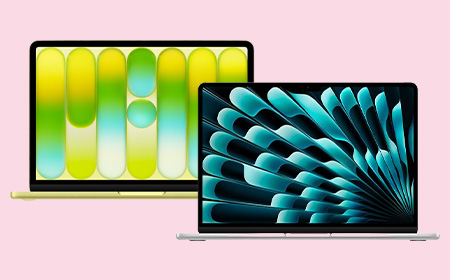

This guide compares the MacBook Neo and the MacBook Air M5 for business teams — what each one offers, the specs that actually matter at work, and how to match the right machine to the right role.

These are Apple’s two most affordable laptops but they’re built on different foundations.
The Neo runs an A-series chip — the same A18 Pro found in the iPhone — while the Air runs Apple’s M5 silicon. That single difference shapes everything: memory, connectivity, and how each machine copes with a heavy day’s work.
On leasing, the Neo starts from around £3.72 +VAT per week and the Air from £6.91 — so the Neo is close to half the cost. But cost is only half the decision. The rest comes down to what your people actually do all day.
Let’s look at each machine on its own terms.
| Feature | MacBook Neo | MacBook Air M5 |
|---|---|---|
| Chip | Apple A18 Pro (iPhone-class) | Apple M5 |
| CPU / GPU | 6-core / 5-core | 10-core / up to 10-core |
| Memory | 8GB unified (fixed) | 16GB base, up to 32GB |
| Base storage | 256GB or 512GB | 512GB or 1TB |
| Display | 13″ Liquid Retina, 500 nits | 13.6″ or 15.3″ Liquid Retina |
| Ports | 1× USB-C 10Gbps + 1× USB 2.0 | Thunderbolt 4 + MagSafe |
| External displays | One 4K @ 60Hz | Multiple |
| Touch ID | 512GB model only | Yes |
| Battery | Up to 16 hours | Up to 18 hours |
| Sizes | 13″ only | 13″ and 15″ |
| Starting price (Apple) | From £699 | From £1,299 |
| Leasing from HardSoft | From ~£3.72/week | From ~£6.91/week |
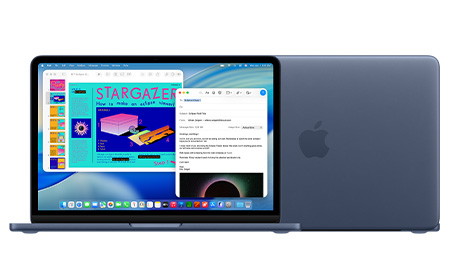
The Neo is the most affordable Mac Apple has ever made, and for a large slice of any workforce it’s all the laptop they need.
Performance. The A18 Pro pairs a 6-core CPU with a 5-core GPU and a 16-core Neural Engine, with Apple Intelligence built in. It flies through the everyday: email, Microsoft 365 and Google Workspace, web-based CRMs, video calls and general multitasking. It’s a phone-class chip, so it’s not built for sustained heavy lifting — but most business roles never ask it to.
Memory. The Neo has 8GB of unified memory, with no option to add more now or later. That’s comfortable for someone living in a couple of apps and a handful of tabs. However, if you push it with dozens of tabs plus several apps at once, it starts to feel tight. See How Much RAM Should You Order in Your Next Mac? for why this matters over a multi-year lease.
Connectivity. Two USB-C ports (one fast 10Gbps, one basic USB 2.0), Wi-Fi 6E, and support for one external 4K display. There’s no Thunderbolt, so a busy dual-monitor dock is out of the box — though a USB-C dock solves most of that (more below).
Display, battery and build. A bright 13″ Liquid Retina screen (500 nits, a billion colours), up to 16 hours of battery, a silent fanless design, and four colours to choose from. Note two trade-offs: Touch ID is only on the 512GB model, and there’s no backlit keyboard or fast charging.
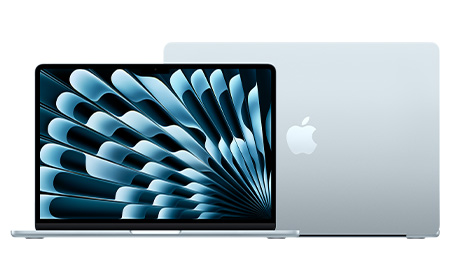
The Air is the default “everyday professional” Mac — noticeably more capable under the hood, and built to stay comfortable across a longer lease.
Performance. The M5 steps up to a 10-core CPU, up to a 10-core GPU, and more than twice the Neo’s memory bandwidth. That headroom is what keeps things smooth when the workload is sustained — heavy multitasking, larger datasets, creative apps, and anything that runs hard for long stretches without slowing down.
Memory. The Air starts at 16GB and configures up to 32GB. On Apple Silicon, memory is the single biggest factor in how well a machine ages, so this is the spec that most justifies the extra weekly cost for demanding roles — and the main reason not to under-spec someone you’re equipping for three years.
Connectivity. Thunderbolt 4 plus MagSafe charging, and support for multiple external displays. This is the practical difference for desk-based staff: full docking, faster peripherals, and a proper multi-monitor setup from a single connection.
Display, battery and build. A choice of 13.6″ or 15.3″ Liquid Retina — useful when someone wants more screen without moving up to a MacBook Pro — plus up to 18 hours of battery, a backlit keyboard, fast charging, and Touch ID as standard.
Both machines make great desk workstations with the right accessories — and you can easily add these to any lease with HardSoft.
A USB-C or Thunderbolt docking station turns a single laptop port into a full desk, complete with an external display, wired network, and charging.
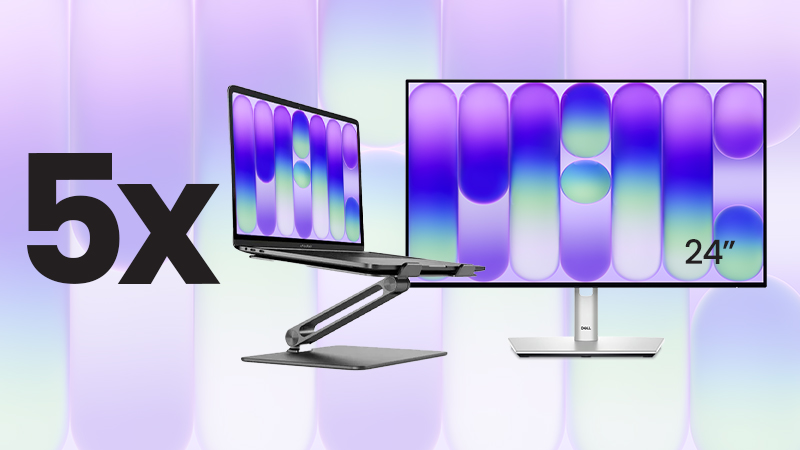
For teams standardising on the Neo, we’ve packaged it up: the MacBook Neo Desktop Bundle pairs five 512GB Neos (with Touch ID) with Dell 24″ USB-C hub monitors and Alogic stands that lift the screen and help airflow on the fanless chassis. That’s five complete workstations for £39 +VAT per week (around £7.80 a desk).
| Role | Best Fit | Why |
|---|---|---|
| Admin, operations & reception | Neo | Email, 365/Workspace, web CRMs — smooth, silent, cost-effective |
| Frontline, field & retail | Neo | Point-of-sale, scheduling, a browser — no headroom wasted |
| New starters & second devices | Neo | Fast, affordable and easy to deploy at scale |
| Sales, account management & leadership | Air | All-day calls, presentations and endless tabs fill 8GB fast |
| Marketing | Split | Neo for writers and social; Air for designers and heavier creative |
| Design, development & power users | Air (min.) | Adobe, IDEs, Docker and simulators need M5 and 16GB+ |
Bought outright, the Neo (£699) and the Air (£1,299+) are £600 apart per person — a gap that grew after Apple’s June 2026 price rises. Spread across a lease, the gap is about £3.19 a week per device. Leasing makes the price gap small enough to choose each laptop for the job, not the price tag.
Leasing keeps a mixed rollout simple:
For a typical team, the Neo is the smart, cost-effective choice — admin, reception, frontline, retail and single-app roles, and with a dock or the Desktop Bundle it makes an excellent office workstation too.
For the people who multitask heavily, work docked across multiple monitors, or run creative and development tools, the Air’s M5 chip, 16GB+ memory and Thunderbolt aren’t a luxury — they’re what keeps those roles productive across the life of the lease.
So it’s rarely “Neo or Air” for the whole business. The best answer is usually both, matched to how each person works — and because leasing narrows the cost gap to a few pounds a week, that mix is easy to build and easy to adjust as your team changes.
Lease the Neo from under £4 a week, or the Air from under £7. Speak to our team to map the right setup for your business.

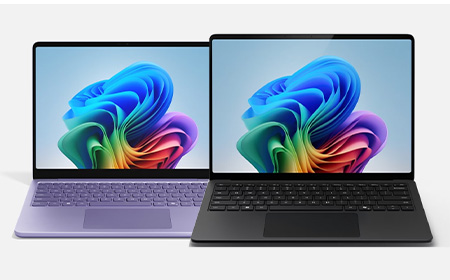

Two Copilot+ PCs, 0.8 inches apart on paper — but very different machines underneath. Here’s how the Surface Laptop 13″ and Surface Laptop 13.8″ compare for IT teams leasing across a business, and which model belongs with which role.
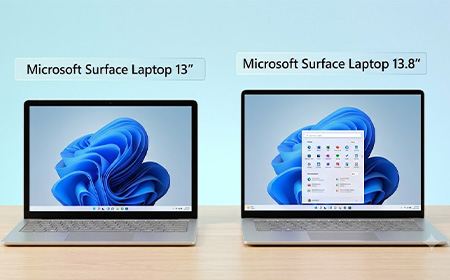
On paper, the Microsoft Surface Laptop 13″ and the Surface Laptop 13.8″ (8th Edition) sit a fraction of an inch apart. Both are Copilot+ PCs, both run Intel Core Ultra (Series 3) silicon, and both have a 3:2 PixelSense touchscreen.
But when you look closer 0.8 inches turns into a meaningful fork in the road: different displays, different specs and different features.
For IT teams and business owners about to lease these across a team, those differences shape who gets which device.
You’ll find both on our Surface Laptop range page.
Both panels are 3:2, touch-enabled, and individually colour-calibrated. That’s where the similarity ends.
| Display | Surface 13″ | Surface 13.8″ |
| Resolution | 1920 × 1280 (178 PPI) | 2304 × 1536 (201 PPI) |
| Refresh rate | Up to 60 Hz | Up to 120 Hz |
| Brightness | 500 nits | 600 nits |
| Contrast | 1000:1 | 1300:1 |
| HDR / Dolby Vision IQ | No | Yes |
For email, documents, and Teams, the 13″ panel is genuinely good. For anyone working with images, video, dashboards, or design tools all day, the 13.8″ is a different class of display — sharper, brighter, smoother, and HDR-accurate.
| Internals | Surface 13″ | Surface 13.8″ |
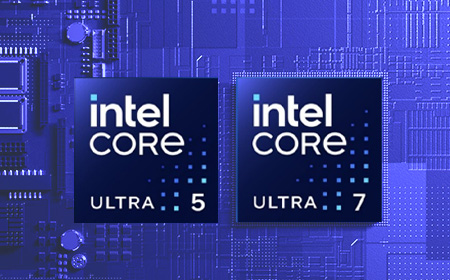
| Processor | Intel Core Ultra 5 325 (Series 3) | Intel Core Ultra 5 335, Ultra 7 366H, or Ultra X7 368H (Series 3) |
| Memory | 16GB or 24GB | 16GB, 32GB or 64GB |
The 13″‘s Intel Core Ultra 5 handles typical office workloads comfortably. What it can’t do is scale as far: 24GB of RAM is the maximum. For finance teams, analysts, developers, and anyone running large datasets, the 13.8″ is the only one of the two that has the headroom — up to 64GB with options up to Intel Core Ultra 7 and X7.
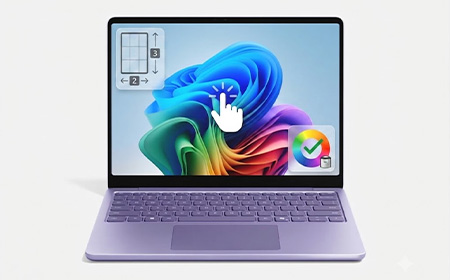
Both deliver the same 50 TOPS NPU (Intel AI Boost), so all Copilot+ features (Recall, Click to Do, Studio Effects, AI-powered search) run identically on either.
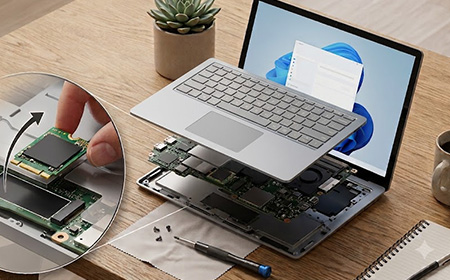
Both laptops come in the same core build options — your choice of processor, 256GB / 512GB / 1TB storage, and (on the 13.8″) up to 64GB RAM — all on a removable Gen 4 SSD.
Where they differ is the security hardware you can add at order. The 13″ comes in standard configurations only. The 13.8″ can be ordered as standard, or specced with two business-grade extras:
| Ports | Surface 13″ | Surface 13.8″ |
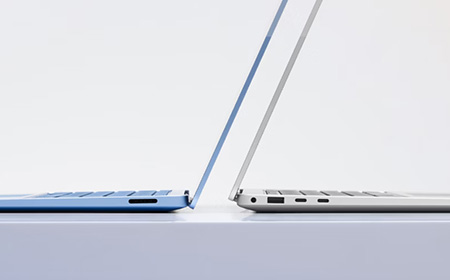
| USB-C | 2 × USB 3.2 | 2 × USB4 / Thunderbolt 4 |
| External 4K monitor support | Up to 2 | Up to 3 |
| Surface Connect | No | Yes |
| Charger | 45W USB-C charger | 39W power supply |
Both share the same USB-A 3.2 port and DisplayPort 2.1 over USB-C.
Two things to flag here. First, the 13″ charges over USB-C and ships with a 45W USB-C wall charger (in select markets and configs); for faster charging you’ll want a 60W+ USB-C PD charger.
Second, the 13″ has no Surface Connect port. If your business is already standardised on Surface Dock infrastructure, the 13″ won’t slot in — you’d be looking at USB-C docks instead.
USB4 on the 13.8″ runs at four times the bandwidth of the 13″‘s USB 3.2, and supports a third external 4K display.
Both are Windows 11 Secured-core PCs with Microsoft Pluton TPM 2.0 and full Microsoft Defender support, so they’re equally manageable from an IT fleet perspective.
Biometrics is where they differ:
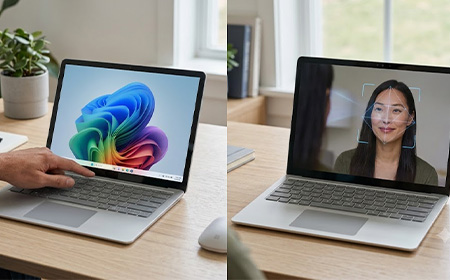
For hot-desking, frequent docking and undocking, or regulated environments where face authentication is preferred for compliance, the 13.8″ has the edge.
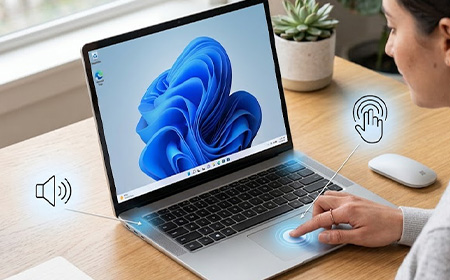
| Physical | Surface 13″ | Surface 13.8″ |
| Weight | 1.24 kg | 1.35 kg |
| Battery life (video playback) | Up to 22 hours | Up to 23 hours |
| Battery life (active web) | Up to 14 hours | Up to 14.5 hours |
| Touchpad | Precision touchpad | Precision haptic touchpad |
Neither model supports pen input. Teams that need pen-and-touch should look at the Surface Pro instead.
For most teams, the Surface Laptop 13″ is the smart default. It’s lighter, cheaper, and shares the things that actually matter day-to-day with its bigger sibling: the same 50 TOPS Copilot+ NPU, the same removable Gen 4 SSD, Windows 11 Pro, and Secured-core management. So the AI features, the security posture, and the IT manageability are identical.
Reserve the Surface Laptop 13.8″ for the roles that really need more: anyone scaling past 24GB of RAM, driving a triple-4K dock, leaning on the sharper 120Hz HDR display for design or data work, or where face-unlock is a compliance requirement. For those people the premium is money well spent. For everyone else, it isn’t.
Leasing via HardSoft means you get to match each role to the right device rather than picking one compromise for everyone.
Plus you get full lifetime support, the option to switch devices at 12 months on Flexi, and managed offboarding when staff leave (on both devices).
| Price | Surface Laptop 13″ | Surface Laptop 13.8″ (8th Ed) |
|---|---|---|
| Weekly lease (from) | £10.05 | £13.62 |
Not sure what the right split is for your team? Get in touch and we’ll help you spec it out.

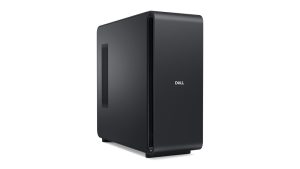
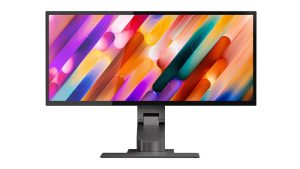
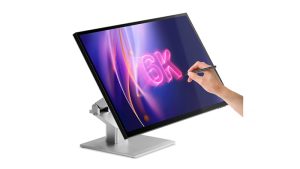
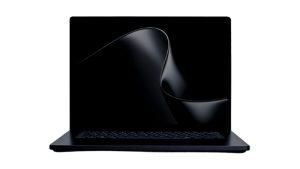
Plan ahead with Coming Soon IT leasing designed to keep your business ready for the next generation of AI-powered technology. Explore upcoming business laptops, AI PCs, workstations, professional monitors and mobile devices from leading brands including Dell, Microsoft Surface, ASUS and Samsung. With flexible leasing and the latest innovations in performance, connectivity and productivity, your team will be ready for what's next.
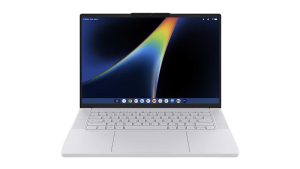
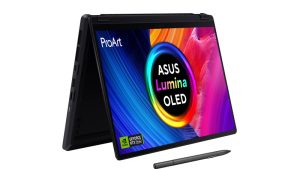





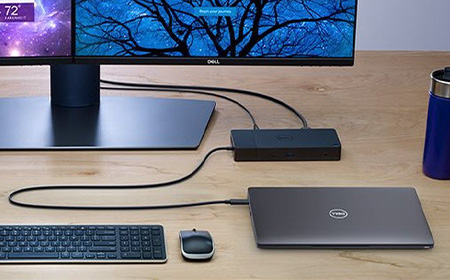

This guide walks you through how to choose the right dock for your business, what the jargon actually means, and which of our docking stations fits which kind of team.
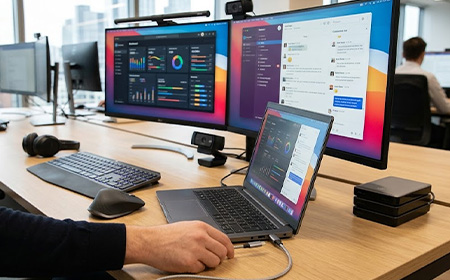
If you’re equipping a team, the laptop is only half the setup. The other half is everything that turns it into a proper workstation and a good docking station does that with one cable.
Your people plug in once, and their laptop charges, their monitors wake up, and every peripheral reconnects exactly where they left it. No adapters, no tangle, no lost minutes at the start of the day.
For hybrid teams, hot-desking offices and laptop-first businesses, it’s one of the highest-impact upgrades you can roll out. We lease and manage IT for UK businesses every day, so we’ve seen what works on real desks.
This is the single most important factor, because it dictates how much your dock can actually do.
A quick check: your laptop needs to support the same standard to get the full benefit. A Thunderbolt 5 dock is brilliant on a Thunderbolt-equipped MacBook Pro, but plug it into a basic USB-C laptop and you won’t unlock its top-tier performance.
If you’re not sure what your devices support, that’s exactly the kind of thing our team will check for you before you order.
Power Delivery, measured in watts (W), is how much charge the dock pushes back into your laptop through that single cable. Get this wrong and your laptop slowly drains even while it’s “plugged in”.
As a rule of thumb: match or exceed your laptop’s own charger wattage and you’ll be fine.
Decide how many external monitors each person needs, and at what resolution, then check two things: the number of video ports and the type (HDMI, DisplayPort or Thunderbolt).
Also confirm the dock supports the resolution you need (4K is the common business standard) across all the screens at once, not just one.
Count what actually lives on the desk: keyboard, mouse, webcam, headset, phone charger, USB stick, SD card reader, external drive. Then make sure the dock has enough of the right ports — and ideally a couple to spare. A dock that runs out of ports on day one just creates a new pile of adapters, which rather defeats the point.
Most business-grade docks include a Gigabit Ethernet port. For office desks this is a genuine advantage: a wired connection is faster, more stable and more secure than Wi-Fi, which matters for video calls, large transfers and security-conscious environments. Every dock in our range includes Ethernet.
Mixed device fleets are the norm now, so it pays to think about compatibility across your whole team. Some docks are happiest on Windows, some are tuned for high-spec Macs, and several are genuinely universal. If you run a blended Mac-and-Windows office, lean toward the universal options so any laptop can use any desk.
Not sure how to match these to your laptops? That’s the bit we’re here for. Tell us what your team uses and we’ll point you to the right dock — no guesswork required. Get in touch.
Here are the docks we’d happily put on any business’s desks, from a tidy entry-level setup right up to a high-end creative workstation.
From £0.75/week · USB-C · 100W-140W power · 2× DisplayPort + 1× HDMI · Gigabit Ethernet
Small, light and seriously capable. The Nano 3x packs multi-display support, a generous 140W of charging and daisy-chain expandability into a compact body that’s perfect for hot desks and hybrid setups.
If you want the cleanest possible one-cable experience at the lowest cost, start here.
Ideal for: hybrid workers, hot-desking offices, anyone wanting maximum value.
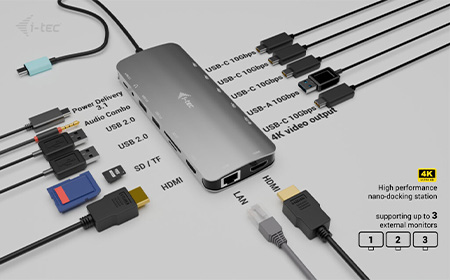
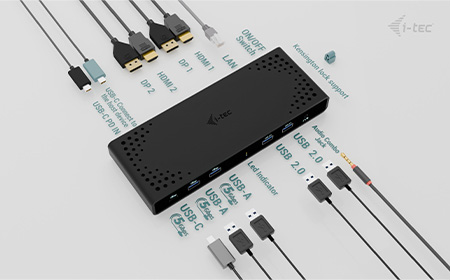
From £1.75/week · USB / USB-C · 100W power · 2× DisplayPort + 1× HDMI · Gigabit Ethernet
The dependable office workhorse. It drives two crisp 4K displays, charges at 100W and plays nicely with both Windows and Mac, making it our go-to recommendation for blended teams who just want everything to work.
A comprehensive set of ports keeps the whole desk connected through one tidy cable.
Ideal for: general office teams running a mix of Mac and Windows laptops.
From £1.75/week · USB-C · 100W power · 3× DisplayPort · Gigabit Ethernet
When two screens aren’t enough, the DX3 steps up to three 4K displays without breaking the bank.
It’s the sweet spot for finance, operations, dev and anyone whose productivity lives across multiple windows at once — all from a single USB-C connection.
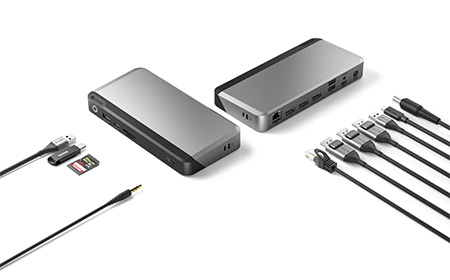
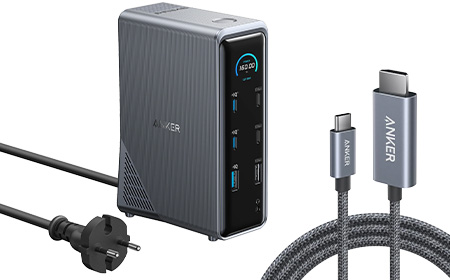
From £2.95/week · USB-C · 140W power · 2× HDMI + 1× DisplayPort · Gigabit Ethernet
A premium 14-in-1 dock that does almost everything. Triple-display support, a strong 140W of charging and smart power management mean it comfortably handles demanding setups across Mac and high-spec Windows machines.
If you want plenty of ports and headroom in a single, polished unit, this is it.
Ideal for: premium multi-display users who want one dock to do the lot. For Touch-First & Interactive Work
From £3.95/week · Thunderbolt 5 · 140W power · 15 ports · Gigabit Ethernet
This is where things get serious. With next-generation Thunderbolt 5 bandwidth, 15 ports and 140W charging, the TS5 is built for high-performance, multi-display environments where speed is non-negotiable. A favourite for high-spec Mac setups and demanding creative or technical work.
Ideal for: creative, engineering and data teams on Thunderbolt-equipped machines.For Multitaskers & Data-Heavy Roles
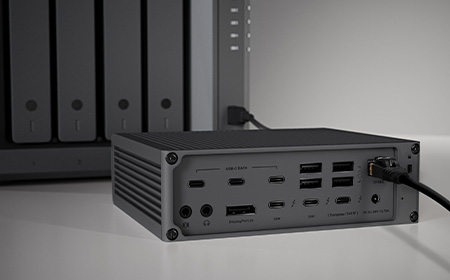

From £4.45/week · Thunderbolt 5 · 140W power · Thunderbolt 5 ports · Gigabit Ethernet · Built-in NVMe SSD
Our top-of-the-range pick. The Echo 13 combines blazing Thunderbolt 5 connectivity and 140W charging with integrated high-speed SSD storage — so editors, photographers and anyone working with huge files get expansion, power and lightning-fast local storage in one unit. The cleanest possible high-end workstation.
Ideal for: high-end creative workstations that move large files all day. For Hybrid Workers & Call-Heavy Roles
| Docking Station | Connection | Power | Displays | Best for | Lease from |
| i-tec Nano 3x | USB-C | 140W | 2× DP + HDMI | Portable / hybrid working | £0.75/wk |
| i-tec Dual 4K | USB / USB-C | 100W | 2× DP + HDMI | Blended Mac & Windows offices | £1.75/wk |
| Alogic DX3 | USB-C | 100W | 3× DP | Triple-monitor productivity | £1.75/wk |
| Anker Prime | USB-C | 140W | 2× HDMI + DP | Premium multi-display users | £2.95/wk |
| CalDigit TS5 | Thunderbolt 5 | 140W | 15 ports | High-performance workstations | £3.95/wk |
| Sonnet Echo 13 | Thunderbolt 5 | 140W | TB5 + built-in SSD | High-end creative workflows | £4.45/wk |
We’ve been kitting out UK businesses for 40 years, and a docking station is rarely bought on its own — it’s part of a wider setup of laptops, monitors and accessories. Leasing it all together, on one simple monthly agreement, keeps things tidy and affordable.
One cable on the desk. One simple agreement for the business. That’s the setup we’d recommend.
Explore all docking stations → or talk to our team about your setup →
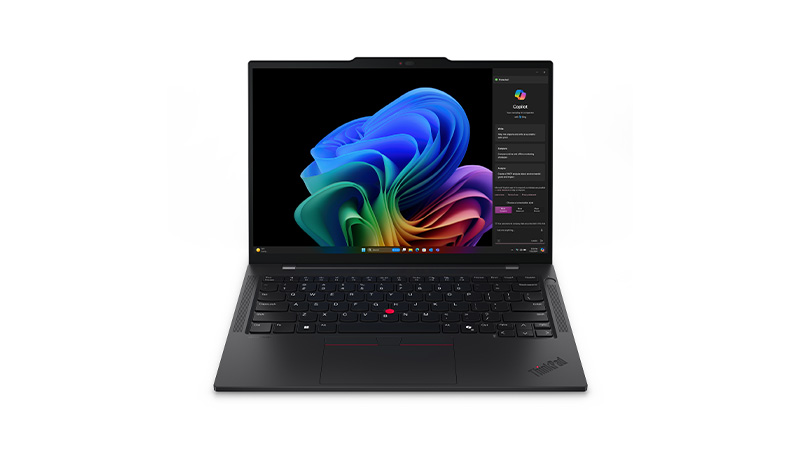
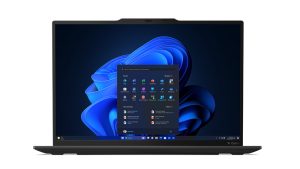
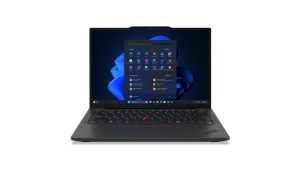
Equip your team with dependable laptops through Lenovo T Series leasing, helping your business scale without upfront costs. Built for professional use, ThinkPad T Series devices feature powerful Intel Core processors, long battery life, and durable MIL-SPEC tested designs. With strong security features and lightweight form factors, they’re ideal for hybrid teams needing consistent performance and reliability.
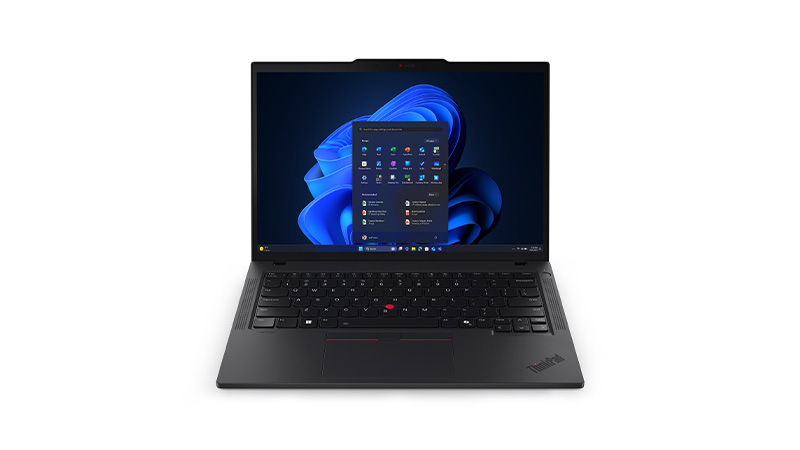
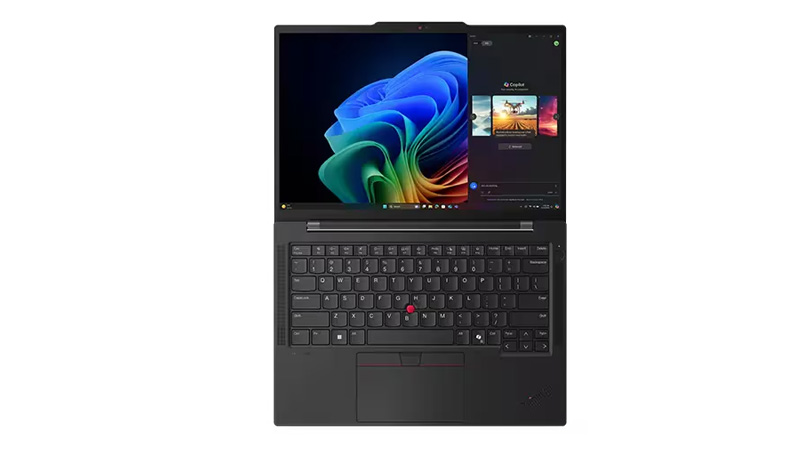
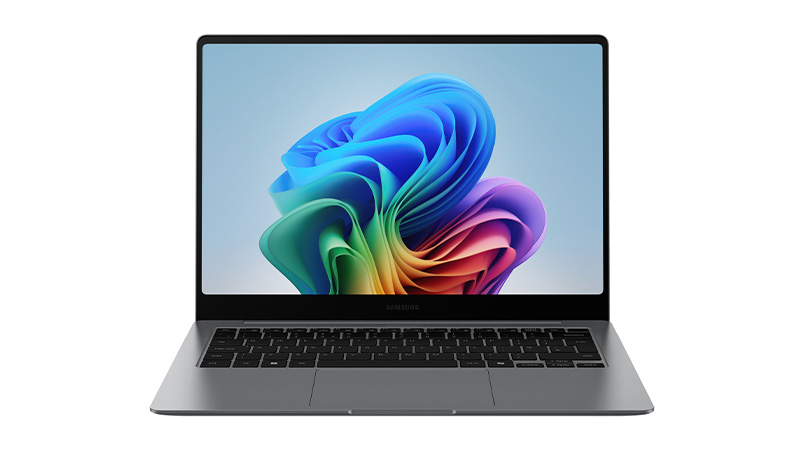
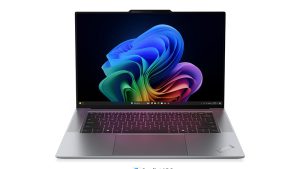
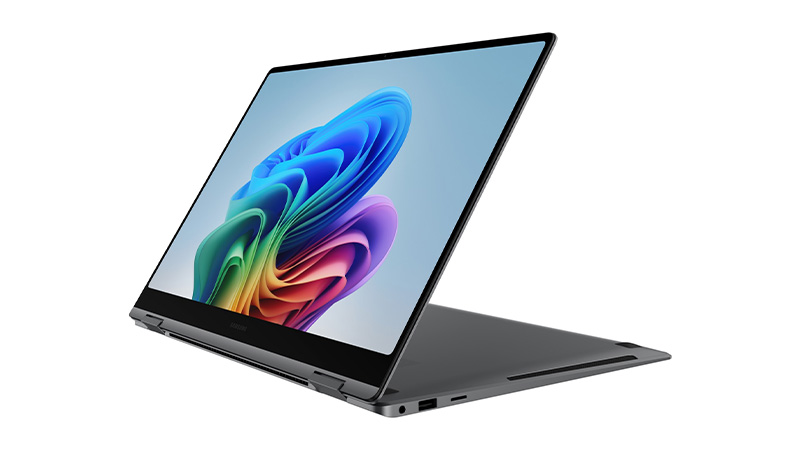
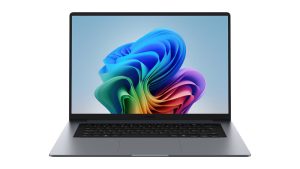
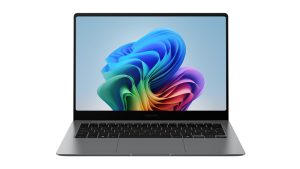
Equip your team with high-performance laptops through Samsung Galaxy Book6 leasing, giving your business predictable monthly payments and no upfront costs. Designed for modern work, these devices feature Intel Core Ultra processors, vibrant AMOLED displays on select models, and lightweight designs ideal for hybrid teams. IT leasing keeps your organisation agile while ensuring access to the latest Samsung hardware.

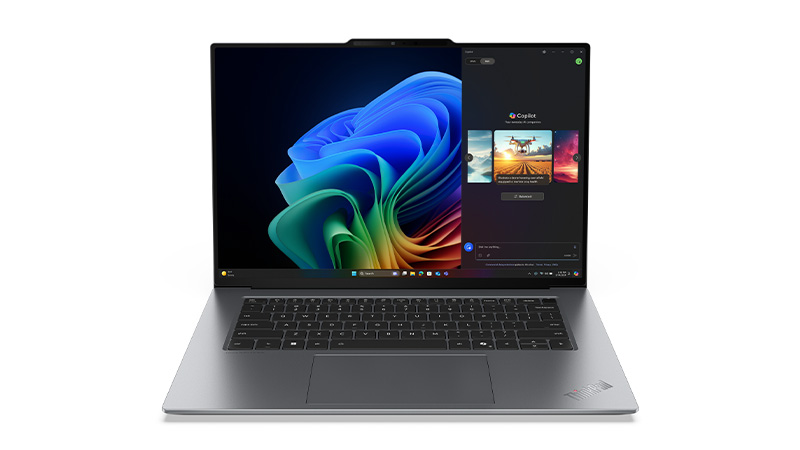
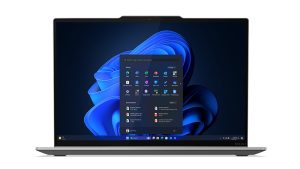
Leasing Lenovo ThinkPad X Series devices gives your business access to premium, lightweight laptops without upfront costs. Built for professionals, ThinkPad X Series leasing delivers powerful Intel Core processors, long battery life, and ultra-portable designs—ideal for hybrid teams needing reliable performance on the move while keeping IT budgets predictable through manageable monthly payments.